Aerospace Is Probably The Best MacOS Tiling Manager I've Ever Used
developer-toolsmacoswindow-managementtiling-window-manageraerospacedotfileskeyboard-workflow
Verdict: Omer replaces yabai and skhd with AeroSpace, which tiles windows with less configuration and also launches apps; binding modes, an fzf window switcher, SketchyBar and JankyBorders finish the setup, and tmux stays in charge inside the terminal
TL;DR
- Omer Hamerman (DevOps Toolbox, Nov 2024) switches to AeroSpace, an i3-style tiling window manager for macOS. Omer picked it over yabai because it needs less configuration and the defaults feel intuitive.
- The basics are alt plus Vim keys to move between tiles, alt plus a number to jump to a workspace, alt-slash to flip the split direction, an accordion layout for stacked reading, keyboard resizing, and floating windows that keyboard moves can still reach.
- AeroSpace keeps windows in a tree. Joining two tiles nests them under a parent, and Omer says understanding that tree explains the moves that surprise you.
- Its
exec-and-forgetcommand makes AeroSpace an app launcher too, so Omer moved the skhd config over and stopped the skhd service. Custom binding modes work like layers on a keyboard, and Omer calls them the most powerful feature in AeroSpace that isn't getting enough attention. - Omer adds three extras: an
ffscript that pipes AeroSpace's window list into fzf, SketchyBar showing clickable workspaces, and JankyBorders outlining the focused window.
Full summary
Granny mode outside the terminal
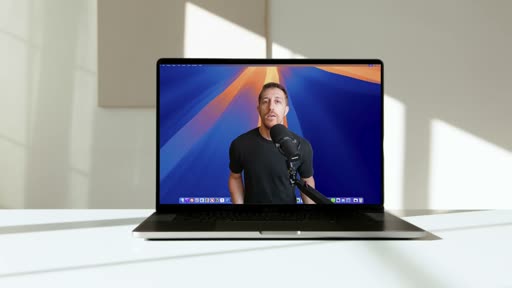
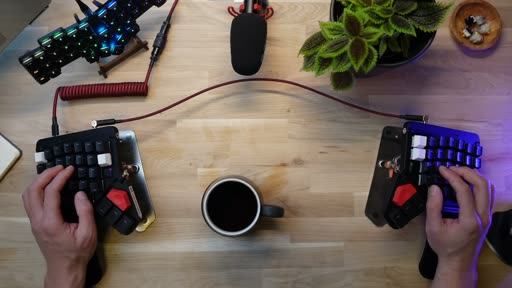
Omer opens with a coffee analogy. Most people grab a Starbucks on the way and are happy; most Mac owners change the wallpaper and a few settings and stop there. Coffee snobs buy specialty beans and brew at home, but can still get the grind wrong. That, Omer says, was the state of this Mac setup for a long time: an app launcher and a good terminal felt like the peak, but stepping out to Finder, a video editor, Photoshop or Slack meant being back in "Granny mode", clicking around and losing track of windows stacked on top of each other. For someone who runs tmux for everything and has written plugins for it, that friction was no longer acceptable.
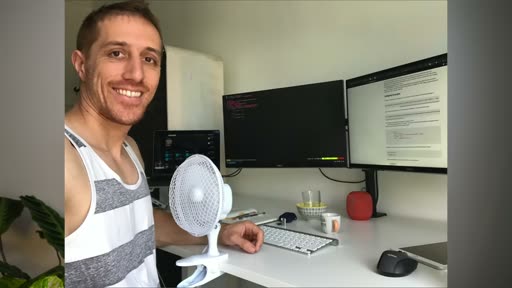
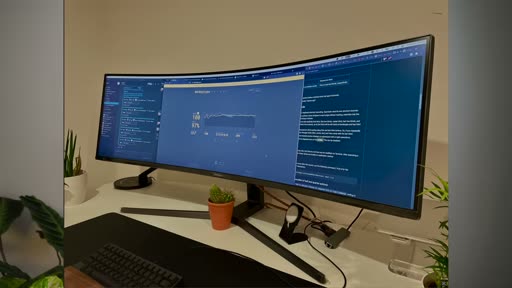
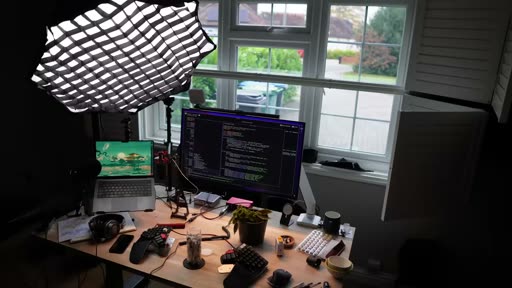
Omer first tried to solve it with screen space: two monitors, then three, then a 49-inch ultrawide, and finally back to a single 4K monitor. One monitor needs something that manages space the way tmux manages the terminal, with splits, windows and sessions.
Tiles, workspaces and layouts
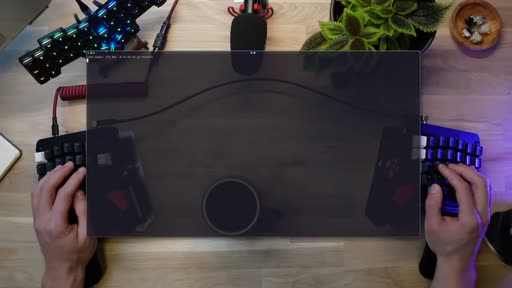
In Omer's words, AeroSpace is like an i3 tiling window manager for macOS. Omer mentions yabai, the popular alternative from the same developer as skhd, and chose AeroSpace for needing less configuration and working intuitively. New windows fill the configured space automatically. The defaults:
- Move focus with alt plus the Vim keys (H and L sideways, J and K vertically).
- Workspaces, shown in the bar on the right: alt-shift plus a number sends a window to a workspace and follows it, and alt plus a number jumps back. Omer tucks a Safari window with music into its own workspace this way.
- Direction: alt-slash flips tiles between horizontal and vertical, and the movement keys follow the new direction.
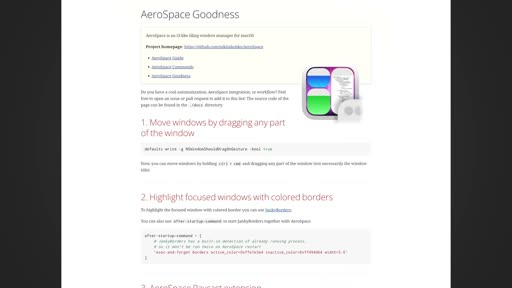
- Drag to rearrange: windows can be dragged with the mouse and snap into place; Omer holds command and control to drag, using a setting listed on AeroSpace's Goodies page.
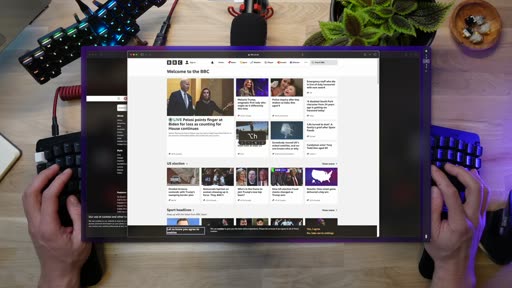
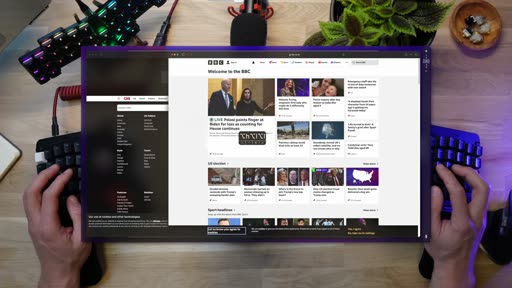
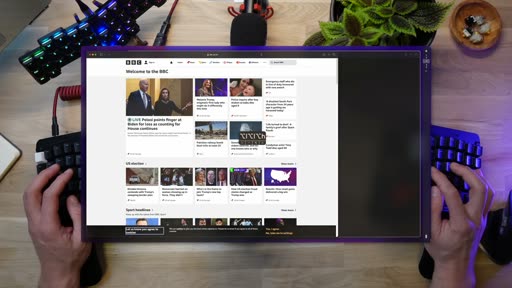
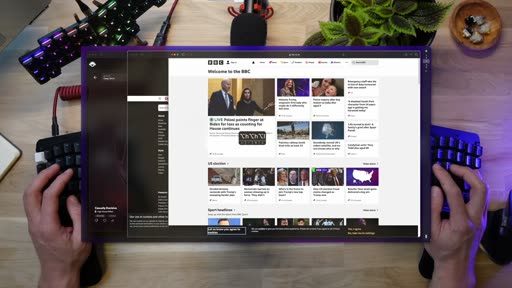
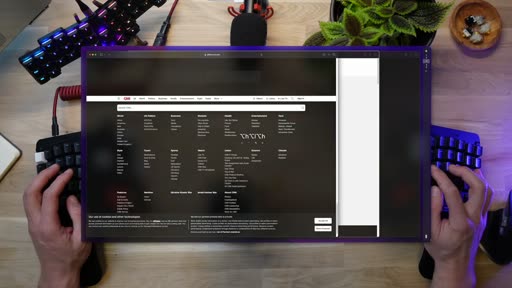
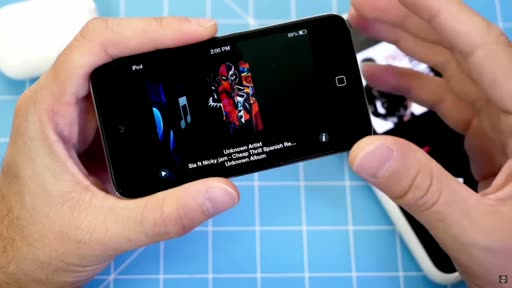
- Accordion: alt-comma stacks tiles with configurable margins so the ones underneath stay visible. Omer uses it for reading several blog posts and notes side by side, which feels like reading a newspaper and recalls scrolling albums on the first iPod.
- Resize with alt-plus (alt-shift-equals) in configurable steps, and reset the layout by entering service mode with alt-shift-semicolon and pressing R.
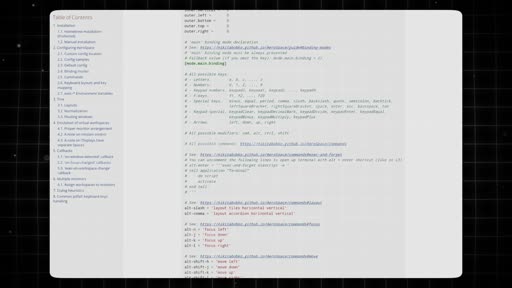
Floating windows don't fall out of reach as they do in some tiling managers: a floating terminal still sits in the left-right order, so keyboard moves reach it. For more complex layouts, such as two windows stacked inside a vertical layout, alt-shift with a direction joins two tiles. AeroSpace stores everything as a tree: tiles start flat and nest under a parent as they are joined, so a nested window can be moved and joined elsewhere. Omer warns that some results will surprise you, and that understanding the tree helps.
Knowing where you are
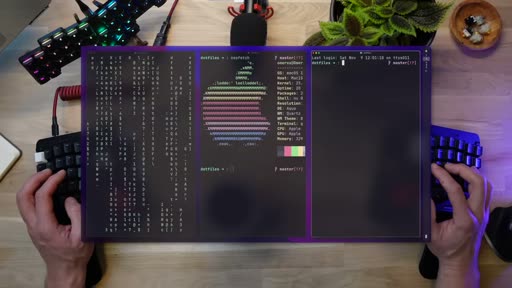
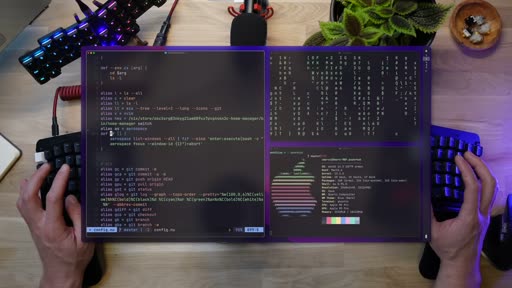
The obvious question is which workspace you are on and what is running where. The bar handles the first part visually. For the second, Omer wrote a command-line utility called ff, named after "find files" in the Telescope setup Omer uses in Neovim. It takes AeroSpace's window list, sends it to fzf, and runs aerospace focus with the window ID of the selection. Each entry shows the window's description too, so Omer can search for brain.fm instead of Safari. Alt-G opens Ghostty running ff. Omer compares it to what Telescope did for the file tree in Neovim: fuzzy search replaced browsing.
Configuration and app launching
The config lives in ~/.config/aerospace/aerospace.toml. Omer's first additions were regex rules that make Telegram and Finder float, so they can pop up for a quick file copy or a reply and then be minimized again. The outer right gap is double the others to leave room for SketchyBar. Alt-control-shift-F gives a focused app the full screen without macOS's native full-screen mode.
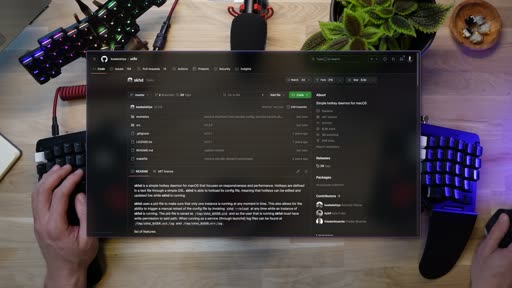
The AeroSpace docs have three sections: a guide, a list of commands, and the Goodies page. The command that changed the most for Omer was exec-and-forget, which runs any command on a key binding. That is what skhd does, so AeroSpace is also an app launcher: "I'm getting yabai and skhd with less config doing both at the same time this is a no-brainer for me." Omer translates the skhd bindings into lines that run open -a for each application, dropping the external-command wrapper added when Omer moved to Nushell.
To reload the config there is a menu-bar dropdown, but that means the mouse, and Omer was changing the config every other hour. Service mode is the keyboard route: alt-shift-semicolon, then Escape reloads the config and returns to the main mode. Since Omer's dotfiles go through home-manager, Omer syncs it first.
Binding modes
Modes are the feature Omer considers most powerful and not discussed enough. Service mode ships with AeroSpace, and any other mode can be added as long as it is declared and has a key combination that enters it. Omer compares them to layers on a keyboard. An apps mode is entered with alt-shift-Enter, and inside it alt-W opens WezTerm; back in the main mode, alt-W does nothing. With that in place, Omer stops the skhd service and uses AeroSpace for all app launching.
SketchyBar and JankyBorders
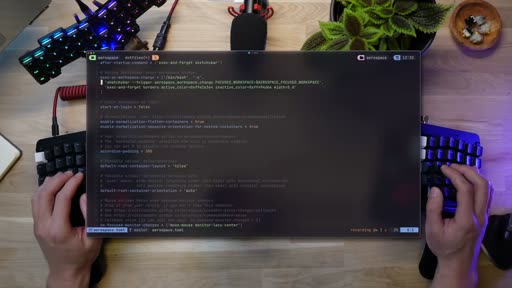
SketchyBar, by Felix Kratz, replaces the macOS menu bar and can show icons for what runs where, battery, volume, calendar and more. Omer points to the project's setups thread for inspiration. Omer's own config is deliberately lean and only serves AeroSpace: one script draws a green Apple logo with a few options, and another draws the workspaces, highlights the focused one and makes them clickable. In the AeroSpace config, Omer starts SketchyBar if it isn't running and fires a SketchyBar event on every workspace change, an idea taken from the Goodies page.
JankyBorders, from the same author, draws a border around the focused window; one line in the AeroSpace config keeps it in sync, and Omer chose a solid white line. Omer recommends Felix's dotfiles as a small gold mine. AeroSpace doesn't replace a terminal multiplexer, though: inside the terminal, tmux, which Omer calls the spiritual father of AeroSpace, is still the best in class.
Key moments
- [00:00] Coffee and macOS — most people stop at a new wallpaper; Omer was the coffee snob still getting the grind wrong. frame_0001.jpg
- [01:24] Monitor real estate — two, three, a 49-inch ultrawide, then back to one 4K screen. frame_0012.jpg
- [01:50] AeroSpace over yabai — chosen for less configuration and intuitive defaults. frame_0016.jpg
- [04:01] Accordion layout — stacked tiles for reading posts side by side, like a newspaper. frame_0020.jpg
- [06:01] The tree — joining tiles nests them under a parent. frame_0033.jpg
- [06:51]
ff— AeroSpace's window list in fzf, searchable by what each window shows. frame_0048.jpg - [08:16] Config file — float rules for Telegram and Finder, and a wider right gap for the bar. frame_0049.jpg
- [09:36]
exec-and-forget— AeroSpace takes over app launching from skhd. frame_0037.jpg - [11:28] Binding modes — an apps mode where alt-W opens WezTerm. frame_0054.jpg
- [12:16] SketchyBar and JankyBorders — clickable workspaces and a border on the focused window. frame_0059.jpg
Hook microscope (0-10s)
-
Frames: 20 at 2 fps
Read these hook frames with the Read tool:
hook_frames/frame_0001.jpg(t=0.0s)hook_frames/frame_0002.jpg(t=0.5s)hook_frames/frame_0003.jpg(t=1.0s)hook_frames/frame_0004.jpg(t=1.5s)hook_frames/frame_0005.jpg(t=2.0s)hook_frames/frame_0006.jpg(t=2.5s)hook_frames/frame_0007.jpg(t=3.0s)hook_frames/frame_0008.jpg(t=3.5s)hook_frames/frame_0009.jpg(t=4.0s)hook_frames/frame_0010.jpg(t=4.5s)hook_frames/frame_0011.jpg(t=5.0s)hook_frames/frame_0012.jpg(t=5.5s)hook_frames/frame_0013.jpg(t=6.0s)hook_frames/frame_0014.jpg(t=6.5s)hook_frames/frame_0015.jpg(t=7.0s)hook_frames/frame_0016.jpg(t=7.5s)hook_frames/frame_0017.jpg(t=8.0s)hook_frames/frame_0018.jpg(t=8.5s)hook_frames/frame_0019.jpg(t=9.0s)hook_frames/frame_0020.jpg(t=9.5s)
-
Word-level transcript (36 words):
  [  0.00s] Mac
  [  0.25s] OS
  [  0.44s] is
  [  0.64s] kind
  [  0.90s] of
  [  1.09s] like
  [  1.39s] getting
  [  2.00s] coffee.
  [  2.32s] I
  [  2.60s] mean,
  [  2.88s] most
  [  3.08s] people
  [  3.39s] just
  [  3.59s] get
  [  3.74s] something
  [  4.28s] from
  [  4.47s] Starbucks
  [  5.00s] on
  [  5.20s] the
  [  5.37s] way
  [  5.57s] and
  [  5.71s] enjoy
  [  6.00s] that.
  [  6.40s] Similarly,
  [  7.04s] they
  [  7.28s] get
  [  7.44s] a
  [  7.48s] new
  [  7.80s] shiny
  [  7.95s] Mac,
  [  8.23s] change
  [  8.59s] of
  [  8.74s] wallpaper,
  [  9.33s] a
  [  9.38s] couple
  [  9.73s] of
- 0.0s: A MacBook on a sunlit white desk with Omer talking on its screen: "Mac OS is kind of like getting coffee."
- by 3.5s: A Starbucks cup dissolves in on "most people just get something from Starbucks on the way."
- by 6.5s: Omer in a Starbucks T-shirt holding a new Mac box, on "they get a new shiny Mac."
- by 9.5s: Hands typing on a new MacBook's region-selection screen, on "change of wallpaper, a couple of settings."
Pattern: an everyday analogy, with B-roll matching each phrase. It sets up the contrast that comes next (coffee snobs who still use it wrong) before any tool is named.
Editorial profile
- Shots: 40
- Cuts/min: 2.73
- Mean shot length: 22.01s
- Median shot length: 7.86s
- Talking-head ratio: n/a (opencv not installed)
Talking head in front of a pegboard of keyboards, cutting to a top-down desk shot with the screen recording laid over it and keystroke callouts on screen, plus stock and personal-photo B-roll; the detector's 2.7 cuts/min understates the editing because the overlay changes rarely register as cuts.
Quotable moments
- [00:35] "I was back to Granny mode moving my mouse around clicking all over"
- [01:07] "bringing an operating system to a wizard level is a form of Art"
- [09:55] "I'm getting yabai and skhd with less config doing both at the same time this is a no-brainer for me"
- [11:28] "now for the most powerful Concept in Aerospace that isn't getting enough attention modes"
- [14:20] "when it comes to the terminal itself there's no point in adding more terminals"
Entities mentioned
- People: omer-hamerman, Felix Kratz
- Companies: Starbucks, Apple
- Tools / products: aerospace, yabai, skhd, SketchyBar, JankyBorders, fzf, tmux, Neovim (Telescope), Ghostty, WezTerm, Nushell, home-manager, Safari, Finder, Telegram, brain.fm, i3
Concepts surfaced
- tiling-window-manager: windows fill the screen as tiles with no overlap, and the keyboard moves focus, swaps tiles and sends them to workspaces; AeroSpace brings the i3 model to macOS.
- binding-modes: named sets of key bindings, entered with a key combination, like layers on a keyboard; the same key can do different things in different modes.
- Window tree: AeroSpace stores tiles as a tree, so joining two tiles nests them under a parent, which explains the moves that surprise you.
- Fuzzy window switching: pipe the window manager's window list into fzf and focus the selection, the way Telescope replaced browsing files in Neovim.
- One tool for windows and launching:
exec-and-forgetlets the window manager launch apps too, replacing skhd.
Frame timeline
What's said while each frame is on screen.
[00:00]
Mac OS is kind of like getting coffee I mean most people just get something from Starbucks on the way and enjoy that similarly they get a new shiny Mac change a wallpaper a couple of settings and that's it Happy Days others think they're better this is me by the way and they I mean we are coffee snobs we get specialty beans and make our precious coffee at home but then again we may be using it wrong bad grind level lack of proportion that was me and my Mac OS for
[00:24]

using it wrong bad grind level lack of proportion that was me and my Mac OS for the longest time I had an app launcher a nice terminal and I thought I made it to the Pinnacle of configuration but when I stepped out of the terminal to use finder or a video editor Photoshop or slack I was back to Granny mode moving my mouse around clicking all over and having extremely hard time navigating different windows that were stacked on top of each other or completely disappearing no...
[00:53]

annoyance that causes you to lose focus in what you plan to do in the first place as someone who uses TX for everything in the terminal and even built a few plugins to support the process even further I can't allow this anymore what about tiling workspaces monitor Management Windows management are these only kept for hipster Linux users for the terminal alone no way just like finding the exact grind level for your bins bringing an operating system to a wizard level is a...
[01:20]
believe I found the right set of tools to help you find the way to and now that I managed to squeeze in my morning Brew into this video let's see how I achieved at least the beginning of a worthy Mac environment setup to handle my Mac environment I tried solving it with monitor real estate I went from two
[01:31]

environment setup to handle my Mac environment I tried solving it with monitor real estate I went from two monitors to three then to a physically
[01:31]
environment I tried solving it with monitor real estate I went from two monitors to three then to a physically challenging Ultra wide 49in Beast just
[01:34]
monitor real estate I went from two monitors to three then to a physically challenging Ultra wide 49in Beast just
[01:36]
monitors to three then to a physically challenging Ultra wide 49in Beast just to finally come back to this a single 4K quality monitor that's right in front of me but when working with one monitor in order to enjoy all the world of quality and productivity something needs to help you manage the space just like t-x does for me within the terminal splitting adding Windows even sessions Aerospace does this for your Mac Aerospace is like
[01:56]
adding Windows even sessions Aerospace does this for your Mac Aerospace is like an I3 tiling Window Manager for Mac OS
[02:00]

does this for your Mac Aerospace is like an I3 tiling Window Manager for Mac OS you may be familiar with your buy a similar popular project from the same home of skd I don't want to get ahead of myself but if you know these let me just say you're going to be surprised at the end of this video the reason I went with Aerospace is my personal feeling of less configuration requirements and the intuitive way things are working when you first pop a window Aerospace uses the...
[03:49]
location even before dropping the tile into place by the way I'm using command and control here to drag the windows around you can find the configuration line for your Mac to do that in the description or in the Aerospace goodies section which will get in just just a bit what if the tile is a bit small but you don't want to go full screen there's still value in seeing what's underneath and cycling through other tiles kind of like viewing folders in a drawer hit alt and...
[04:27]
in both modes vertical or horizontal and both serve great purpose for different use cases here's one great use that feels to me like reading the newspaper
[04:30]
use cases here's one great use that feels to me like reading the newspaper
[04:31]
use cases here's one great use that feels to me like reading the newspaper while I'm not much of a news follower I
[04:32]
feels to me like reading the newspaper while I'm not much of a news follower I
[04:33]
feels to me like reading the newspaper while I'm not much of a news follower I like the idea of having multiple reading pieces usually blog post talks and probably my notes rolling next to each other in accordion that I can scroll through it kind of reminds me of the
[04:41]
probably my notes rolling next to each other in accordion that I can scroll through it kind of reminds me of the first generation iPod where you could scroll through your stored albums what a trip down memory lane Beyond sipping coffee and reading newspaper Aerospace lets you fix the size of the windows not only with a mouse but also use easy key combos alt and plus which is Al shift and equal will increase the relative size of tile it's done very smoothly and you can play...
[06:26]
there's still a vertical layout but two tiles have been joined into the Aerospace tree this is actually how Aerospace is addressing the structure using a tree there's a flat hierarchy of tiles to begin with and as you join Windows they'll be nested under other tiles in a parent child structure this means that you can scroll through and move things around and take a nested window and join it to another tile sometimes the changes may surprise you so understanding the tree...
[06:48]

sometimes the changes may surprise you so understanding the tree structure helps a lot with that now at this point some of you are probably having the itch of how the hell do I know where I'm at at any point in time what workspace I'm on what other workspaces are available to me as you can see to the right I solv
[06:58]
at any point in time what workspace I'm on what other workspaces are available to me as you can see to the right I solv it visually by adding something to my operating system however I did create a command line utility that helps me understand not only what other workspaces are available but what are they running and what is exactly running within them FF which comes from my
[07:12]
workspaces are available but what are they running and what is exactly running within them FF which comes from my neovim config for telescope standing for find files is actually finding everything under Aerospace he takes a list of the Aerospace Windows sending it to the best tool ever fzf more on fzf in the video above and yes I said fzf and fzf to to accommodate for people on both sides of the pond it's totally okay to cuss in the comments anyway with our new windows...
[09:46]
lets you hook any command at any given time if this sounds familiar to you and Rings like skd well it's exactly that yes Aerospace is also an up launcher I love skd and I've been using it for the longest time but now you're telling me I'm getting yabai and skd with less config doing both at the same time this is a no-brainer for me and I'm going to switch here's my skd config let's translate 1 bit to ER space similarly to skd I'll just configure alt and the apps to exec and...
[13:51]
to list workspaces that I took a little further and improve the visuals on the last piece here that you may have been wondering about is junky borders a cute project from the same author of sketchy bar outlining windows in Mac OS with a border that indicates the current focused window add a small line to Aerospace to make sure it's in sync with junky borders I picked a solid white line that's not too Bal but still makes it easy to see and understand where we're at this is...
[14:40]

check this video next thank you for watching and I'll see you on the next one
Transcript
Source: captions.
[00:03] Mac OS is kind of like getting coffee I mean most people just get something from
[00:05] mean most people just get something from Starbucks on the way and enjoy that
[00:07] Starbucks on the way and enjoy that similarly they get a new shiny Mac
[00:09] similarly they get a new shiny Mac change a wallpaper a couple of settings
[00:10] change a wallpaper a couple of settings and that's it Happy Days others think
[00:13] and that's it Happy Days others think they're better this is me by the way and
[00:15] they're better this is me by the way and they I mean we are coffee snobs we get
[00:17] they I mean we are coffee snobs we get specialty beans and make our precious
[00:19] specialty beans and make our precious coffee at home but then again we may be
[00:21] coffee at home but then again we may be using it wrong bad grind level lack of
[00:24] using it wrong bad grind level lack of proportion that was me and my Mac OS for
[00:26] proportion that was me and my Mac OS for the longest time I had an app launcher a
[00:28] the longest time I had an app launcher a nice terminal and I thought I made it to
[00:30] nice terminal and I thought I made it to the Pinnacle of configuration but when I
[00:32] the Pinnacle of configuration but when I stepped out of the terminal to use
[00:33] stepped out of the terminal to use finder or a video editor Photoshop or
[00:36] finder or a video editor Photoshop or slack I was back to Granny mode moving
[00:38] slack I was back to Granny mode moving my mouse around clicking all over and
[00:40] my mouse around clicking all over and having extremely hard time navigating
[00:42] having extremely hard time navigating different windows that were stacked on
[00:43] different windows that were stacked on top of each other or completely
[00:45] top of each other or completely disappearing no structure no order no
[00:48] disappearing no structure no order no way to move around without friction and
[00:49] way to move around without friction and annoyance that causes you to lose focus
[00:52] annoyance that causes you to lose focus in what you plan to do in the first
[00:53] in what you plan to do in the first place as someone who uses TX for
[00:55] place as someone who uses TX for everything in the terminal and even
[00:57] everything in the terminal and even built a few plugins to support the
[00:58] built a few plugins to support the process even further I can't allow this
[01:01] process even further I can't allow this anymore what about tiling workspaces
[01:03] anymore what about tiling workspaces monitor Management Windows management
[01:05] monitor Management Windows management are these only kept for hipster Linux
[01:07] are these only kept for hipster Linux users for the terminal alone no way just
[01:10] users for the terminal alone no way just like finding the exact grind level for
[01:12] like finding the exact grind level for your bins bringing an operating system
[01:14] your bins bringing an operating system to a wizard level is a form of Art and I
[01:17] to a wizard level is a form of Art and I believe I found the right set of tools
[01:19] believe I found the right set of tools to help you find the way to and now that
[01:21] to help you find the way to and now that I managed to squeeze in my morning Brew
[01:23] I managed to squeeze in my morning Brew into this video let's see how I achieved
[01:25] into this video let's see how I achieved at least the beginning of a worthy Mac
[01:27] at least the beginning of a worthy Mac environment setup to handle my Mac
[01:28] environment setup to handle my Mac environment I tried solving it with
[01:30] environment I tried solving it with monitor real estate I went from two
[01:32] monitor real estate I went from two monitors to three then to a physically
[01:34] monitors to three then to a physically challenging Ultra wide 49in Beast just
[01:37] challenging Ultra wide 49in Beast just to finally come back to this a single 4K
[01:39] to finally come back to this a single 4K quality monitor that's right in front of
[01:41] quality monitor that's right in front of me but when working with one monitor in
[01:44] me but when working with one monitor in order to enjoy all the world of quality
[01:46] order to enjoy all the world of quality and productivity something needs to help
[01:48] and productivity something needs to help you manage the space just like t-x does
[01:50] you manage the space just like t-x does for me within the terminal splitting
[01:52] for me within the terminal splitting adding Windows even sessions Aerospace
[01:55] adding Windows even sessions Aerospace does this for your Mac Aerospace is like
[01:58] does this for your Mac Aerospace is like an I3 tiling Window Manager for Mac OS
[02:01] an I3 tiling Window Manager for Mac OS you may be familiar with your buy a
[02:03] you may be familiar with your buy a similar popular project from the same
[02:05] similar popular project from the same home of skd I don't want to get ahead of
[02:08] home of skd I don't want to get ahead of myself but if you know these let me just
[02:10] myself but if you know these let me just say you're going to be surprised at the
[02:12] say you're going to be surprised at the end of this video the reason I went with
[02:14] end of this video the reason I went with Aerospace is my personal feeling of less
[02:16] Aerospace is my personal feeling of less configuration requirements and the
[02:17] configuration requirements and the intuitive way things are working when
[02:19] intuitive way things are working when you first pop a window Aerospace uses
[02:21] you first pop a window Aerospace uses the configured real estate to fill it
[02:23] the configured real estate to fill it with your new tile add another screen in
[02:25] with your new tile add another screen in this instance just another ghost to
[02:27] this instance just another ghost to window and let's add yet another window
[02:29] window and let's add yet another window and mix things up so that it's easy to
[02:31] and mix things up so that it's easy to differentiate you'd probably note that I
[02:33] differentiate you'd probably note that I can both move around windows with a key
[02:35] can both move around windows with a key combo by default it is alt and the Vim
[02:38] combo by default it is alt and the Vim binding serving as arrows so alt and H
[02:41] binding serving as arrows so alt and H or L lets me move sideways to other
[02:44] or L lets me move sideways to other tiles feeling like t-o already let's pop
[02:46] tiles feeling like t-o already let's pop Safari where I hold my coding music now
[02:49] Safari where I hold my coding music now with four tiles my screen is getting too
[02:51] with four tiles my screen is getting too crowded to do any productive work I have
[02:54] crowded to do any productive work I have few options here I can minimize it or
[02:56] few options here I can minimize it or drag it to another screen but my
[02:58] drag it to another screen but my favorite is using a new screen area you
[03:01] favorite is using a new screen area you can see on the bar to the right that I
[03:03] can see on the bar to the right that I currently have five areas to choose from
[03:05] currently have five areas to choose from and we'll talk about these areas in the
[03:06] and we'll talk about these areas in the bar in just a bit so I'm going to pick
[03:09] bar in just a bit so I'm going to pick space number three and send my music
[03:11] space number three and send my music there alt shift and four sends the
[03:13] there alt shift and four sends the window there and focuses on that space
[03:15] window there and focuses on that space to jump back I can use alt and the
[03:18] to jump back I can use alt and the number of the previous space in this
[03:20] number of the previous space in this case it was two and here I am back at my
[03:22] case it was two and here I am back at my terminal space with a music tucked away
[03:24] terminal space with a music tucked away if we want these tides to be presented
[03:26] if we want these tides to be presented horizontally rather than vertically alt
[03:28] horizontally rather than vertically alt and slash switches back and forth when
[03:30] and slash switches back and forth when the layout changes the directions are
[03:32] the layout changes the directions are changed accordingly so alt in j or k
[03:35] changed accordingly so alt in j or k allows for vertical motion what if we
[03:38] allows for vertical motion what if we want to switch places around the tiles
[03:40] want to switch places around the tiles the Natural Way Aerospace supports it is
[03:42] the Natural Way Aerospace supports it is using the mouse dragging them around to
[03:44] using the mouse dragging them around to see them fall into place based on the
[03:46] see them fall into place based on the location even before dropping the tile
[03:48] location even before dropping the tile into place by the way I'm using command
[03:51] into place by the way I'm using command and control here to drag the windows
[03:52] and control here to drag the windows around you can find the configuration
[03:54] around you can find the configuration line for your Mac to do that in the
[03:56] line for your Mac to do that in the description or in the Aerospace goodies
[03:58] description or in the Aerospace goodies section which will get in just just a
[04:00] section which will get in just just a bit what if the tile is a bit small but
[04:02] bit what if the tile is a bit small but you don't want to go full screen there's
[04:04] you don't want to go full screen there's still value in seeing what's underneath
[04:05] still value in seeing what's underneath and cycling through other tiles kind of
[04:08] and cycling through other tiles kind of like viewing folders in a drawer hit alt
[04:10] like viewing folders in a drawer hit alt and comma to do that and change the
[04:11] and comma to do that and change the layout to the according style the
[04:14] layout to the according style the margins here are all configurable use
[04:16] margins here are all configurable use the same bindings to move around in this
[04:18] the same bindings to move around in this case up and down with Alt J K or the
[04:21] case up and down with Alt J K or the arrows accordion are obviously available
[04:23] arrows accordion are obviously available in both modes vertical or horizontal and
[04:26] in both modes vertical or horizontal and both serve great purpose for different
[04:27] both serve great purpose for different use cases here's one great use that
[04:29] use cases here's one great use that feels to me like reading the newspaper
[04:32] feels to me like reading the newspaper while I'm not much of a news follower I
[04:34] while I'm not much of a news follower I like the idea of having multiple reading
[04:36] like the idea of having multiple reading pieces usually blog post talks and
[04:38] pieces usually blog post talks and probably my notes rolling next to each
[04:40] probably my notes rolling next to each other in accordion that I can scroll
[04:41] other in accordion that I can scroll through it kind of reminds me of the
[04:43] through it kind of reminds me of the first generation iPod where you could
[04:45] first generation iPod where you could scroll through your stored albums what a
[04:47] scroll through your stored albums what a trip down memory lane Beyond sipping
[04:50] trip down memory lane Beyond sipping coffee and reading newspaper Aerospace
[04:52] coffee and reading newspaper Aerospace lets you fix the size of the windows not
[04:55] lets you fix the size of the windows not only with a mouse but also use easy key
[04:57] only with a mouse but also use easy key combos alt and plus which is Al shift
[05:00] combos alt and plus which is Al shift and equal will increase the relative
[05:02] and equal will increase the relative size of tile it's done very smoothly and
[05:05] size of tile it's done very smoothly and you can play with the incremental
[05:06] you can play with the incremental changes in the configuration which we'll
[05:08] changes in the configuration which we'll go through next move around different
[05:10] go through next move around different tiles and change their size whether
[05:12] tiles and change their size whether they're on the side the middle of the
[05:14] they're on the side the middle of the screen tiled or stacked in an accordian
[05:16] screen tiled or stacked in an accordian structure to reset the canvas you can
[05:19] structure to reset the canvas you can hold alt shift semicolon and then hit R
[05:23] hold alt shift semicolon and then hit R for reset basically what this does is
[05:25] for reset basically what this does is setting Aerospace in a service mode and
[05:27] setting Aerospace in a service mode and sends r at a reset signal that's special
[05:29] sends r at a reset signal that's special for that mode don't worry about mods
[05:31] for that mode don't worry about mods just yet we're getting there one more
[05:34] just yet we're getting there one more crucial functionality of a tiling
[05:35] crucial functionality of a tiling manager is being able to set some
[05:37] manager is being able to set some windows free changing them to floating
[05:39] windows free changing them to floating windows you may have seen floating
[05:41] windows you may have seen floating windows on other tiling managers losing
[05:43] windows on other tiling managers losing control of the tile that's now out of
[05:45] control of the tile that's now out of the structure but not Aerospace while my
[05:48] the structure but not Aerospace while my current terminal is floating around I
[05:50] current terminal is floating around I can still use the relative motions using
[05:52] can still use the relative motions using left or right and back through the
[05:54] left or right and back through the Middle where the floating pan is
[05:56] Middle where the floating pan is currently at so I'm not completely
[05:57] currently at so I'm not completely losing touch with it and once it was
[05:59] losing touch with it and once it was released from the tiles I can still go
[06:01] released from the tiles I can still go back to it we've talked about Basics
[06:04] back to it we've talked about Basics until now but what happens when you need
[06:06] until now but what happens when you need a slightly more complex layout what if I
[06:08] a slightly more complex layout what if I want a vertical layout but two windows
[06:10] want a vertical layout but two windows stacked horizontally the best practice
[06:12] stacked horizontally the best practice here is to join two windows so with alt
[06:15] here is to join two windows so with alt shift in one of my arrows in this case
[06:17] shift in one of my arrows in this case that would be control and the Vim keys I
[06:20] that would be control and the Vim keys I can join two ties into one so that
[06:22] can join two ties into one so that there's still a vertical layout but two
[06:24] there's still a vertical layout but two tiles have been joined into the
[06:26] tiles have been joined into the Aerospace tree this is actually how
[06:28] Aerospace tree this is actually how Aerospace is addressing the structure
[06:30] Aerospace is addressing the structure using a tree there's a flat hierarchy of
[06:32] using a tree there's a flat hierarchy of tiles to begin with and as you join
[06:34] tiles to begin with and as you join Windows they'll be nested under other
[06:36] Windows they'll be nested under other tiles in a parent child structure this
[06:38] tiles in a parent child structure this means that you can scroll through and
[06:40] means that you can scroll through and move things around and take a nested
[06:42] move things around and take a nested window and join it to another tile
[06:44] window and join it to another tile sometimes the changes may surprise you
[06:46] sometimes the changes may surprise you so understanding the tree structure
[06:47] so understanding the tree structure helps a lot with that now at this point
[06:50] helps a lot with that now at this point some of you are probably having the itch
[06:52] some of you are probably having the itch of how the hell do I know where I'm at
[06:54] of how the hell do I know where I'm at at any point in time what workspace I'm
[06:56] at any point in time what workspace I'm on what other workspaces are available
[06:59] on what other workspaces are available to me as you can see to the right I solv
[07:00] to me as you can see to the right I solv it visually by adding something to my
[07:02] it visually by adding something to my operating system however I did create a
[07:04] operating system however I did create a command line utility that helps me
[07:06] command line utility that helps me understand not only what other
[07:08] understand not only what other workspaces are available but what are
[07:10] workspaces are available but what are they running and what is exactly running
[07:12] they running and what is exactly running within them FF which comes from my
[07:14] within them FF which comes from my neovim config for telescope standing for
[07:16] neovim config for telescope standing for find files is actually finding
[07:18] find files is actually finding everything under Aerospace he takes a
[07:21] everything under Aerospace he takes a list of the Aerospace Windows sending it
[07:23] list of the Aerospace Windows sending it to the best tool ever fzf more on fzf in
[07:26] to the best tool ever fzf more on fzf in the video above and yes I said fzf and
[07:29] the video above and yes I said fzf and fzf to to accommodate for people on both
[07:31] fzf to to accommodate for people on both sides of the pond it's totally okay to
[07:33] sides of the pond it's totally okay to cuss in the comments anyway with our new
[07:36] cuss in the comments anyway with our new windows available as a fuzzy search all
[07:38] windows available as a fuzzy search all that's left is to add a shell command
[07:40] that's left is to add a shell command for airospace focus with a window ID
[07:42] for airospace focus with a window ID from the selection I love this option so
[07:45] from the selection I love this option so much because it doesn't only let me show
[07:47] much because it doesn't only let me show different open windows but also adds a
[07:49] different open windows but also adds a description so I can literally see
[07:51] description so I can literally see what's running in Safari or what's the
[07:53] what's running in Safari or what's the command that's running within ghosty I
[07:55] command that's running within ghosty I can search for brain FM instead of
[07:57] can search for brain FM instead of safari which makes more sense when I
[07:59] safari which makes more sense when I need it quickly at any point I'll just
[08:01] need it quickly at any point I'll just hit alt G which is map to pop ghosty FF
[08:04] hit alt G which is map to pop ghosty FF to search and then my usual window or
[08:06] to search and then my usual window or command and hit enter to take me there
[08:08] command and hit enter to take me there this is exactly what telescope in neovim
[08:11] this is exactly what telescope in neovim did to the file tree completely
[08:13] did to the file tree completely eliminated it by using fuzzy search over
[08:15] eliminated it by using fuzzy search over text and code I think it's time to talk
[08:18] text and code I think it's time to talk about configuration like pretty much
[08:20] about configuration like pretty much every other terminal application I
[08:22] every other terminal application I covered on this channel Aerospace aderes
[08:24] covered on this channel Aerospace aderes to the home. config and/ Aerospace path
[08:28] to the home. config and/ Aerospace path where you're going to find an aerospace
[08:30] where you're going to find an aerospace tunl file that's easy to follow and make
[08:32] tunl file that's easy to follow and make changes to the first addition I made was
[08:34] changes to the first addition I made was adding a couple of lines that use regex
[08:36] adding a couple of lines that use regex to catch both Telegram and finder and
[08:39] to catch both Telegram and finder and make sure these are floating instead of
[08:40] make sure these are floating instead of messing with my tiles this way I can pop
[08:43] messing with my tiles this way I can pop them for a quick file copy or respond to
[08:45] them for a quick file copy or respond to a message and then send them back to
[08:47] a message and then send them back to their minimized mode you'll also notice
[08:48] their minimized mode you'll also notice a strange Gap choice I made while all of
[08:51] a strange Gap choice I made while all of my gaps are the same size the outer
[08:53] my gaps are the same size the outer right one is doubled and I'm sure you
[08:55] right one is doubled and I'm sure you can guess why this is sketchy bar taking
[08:57] can guess why this is sketchy bar taking additional space for the information pan
[08:59] additional space for the information pan panel we talked about showing spaces and
[09:01] panel we talked about showing spaces and allowing for additional navigation
[09:03] allowing for additional navigation features let me keep you hooked just a
[09:05] features let me keep you hooked just a tiny bit more with sketchy bar and we're
[09:07] tiny bit more with sketchy bar and we're going there I promise if I have two
[09:10] going there I promise if I have two tiles and I want to have one in full
[09:12] tiles and I want to have one in full screen without the native full screen
[09:13] screen without the native full screen for Mac OS I can hit alt control shift
[09:16] for Mac OS I can hit alt control shift and F to help me see my focused
[09:18] and F to help me see my focused application better all of these and much
[09:21] application better all of these and much much more can be found on the Aerospace
[09:23] much more can be found on the Aerospace docks you're going to find three main
[09:25] docks you're going to find three main sections the first one is just getting
[09:27] sections the first one is just getting started guide with installations and
[09:29] started guide with installations and things like that but then you have a
[09:30] things like that but then you have a full list of commands you can follow and
[09:32] full list of commands you can follow and using the config file like balancing
[09:34] using the config file like balancing sizes closing windows and more I'll
[09:37] sizes closing windows and more I'll focus on one that made a huge impact on
[09:39] focus on one that made a huge impact on how I work which is exec and forget this
[09:42] how I work which is exec and forget this lets you hook any command at any given
[09:44] lets you hook any command at any given time if this sounds familiar to you and
[09:46] time if this sounds familiar to you and Rings like skd well it's exactly that
[09:49] Rings like skd well it's exactly that yes Aerospace is also an up launcher I
[09:52] yes Aerospace is also an up launcher I love skd and I've been using it for the
[09:54] love skd and I've been using it for the longest time but now you're telling me
[09:56] longest time but now you're telling me I'm getting yabai and skd with less
[09:59] I'm getting yabai and skd with less config doing both at the same time this
[10:01] config doing both at the same time this is a no-brainer for me and I'm going to
[10:03] is a no-brainer for me and I'm going to switch here's my skd config let's
[10:06] switch here's my skd config let's translate 1 bit to ER space similarly to
[10:09] translate 1 bit to ER space similarly to skd I'll just configure alt and the apps
[10:11] skd I'll just configure alt and the apps to exec and forget a open minus a
[10:15] to exec and forget a open minus a application on my Mac let's move quick
[10:17] application on my Mac let's move quick time for example and I can simply remove
[10:19] time for example and I can simply remove the Run external command that I used
[10:21] the Run external command that I used when I transitioned to Nal more on Nell
[10:24] when I transitioned to Nal more on Nell on the video above and then shorten the
[10:26] on the video above and then shorten the application launcher to use the shorter
[10:28] application launcher to use the shorter version with the a extension and that's
[10:31] version with the a extension and that's pretty much all you need to reload the
[10:33] pretty much all you need to reload the configuration there are a couple of
[10:35] configuration there are a couple of options one is to use the drop- down UI
[10:38] options one is to use the drop- down UI yes there's a UI to airospace showing
[10:40] yes there's a UI to airospace showing the different spaces apps and so on so
[10:42] the different spaces apps and so on so we can reload from there but this is
[10:44] we can reload from there but this is using the mouse and I'm not going to do
[10:46] using the mouse and I'm not going to do that I mean on a regular basis with my
[10:48] that I mean on a regular basis with my hands on the keyboard that's going to be
[10:50] hands on the keyboard that's going to be annoying and over the last few days I've
[10:52] annoying and over the last few days I've been changing this config every other
[10:54] been changing this config every other hour so remember the service mode we
[10:57] hour so remember the service mode we mentioned earlier you do that by hitting
[10:59] mentioned earlier you do that by hitting all shift and semicolon and when you're
[11:01] all shift and semicolon and when you're done there you have a bunch of options
[11:03] done there you have a bunch of options the first of which is escape which is
[11:05] the first of which is escape which is mapped to reload the config and go back
[11:07] mapped to reload the config and go back to main mode since I'm using home
[11:09] to main mode since I'm using home manager I'll sync it first and this is
[11:11] manager I'll sync it first and this is the absolute last time in this video I'm
[11:13] the absolute last time in this video I'm referencing a video above but check out
[11:16] referencing a video above but check out the video above to talk about home
[11:17] the video above to talk about home manager once home manager is in sync
[11:20] manager once home manager is in sync it's time to go to service mode so again
[11:22] it's time to go to service mode so again hit escape and jump to the other apps
[11:25] hit escape and jump to the other apps here's Safari ready at alt s when I need
[11:28] here's Safari ready at alt s when I need it now for the most powerful Concept in
[11:31] it now for the most powerful Concept in Aerospace that isn't getting enough
[11:32] Aerospace that isn't getting enough attention modes we've seen service mode
[11:35] attention modes we've seen service mode that comes with it but you can add any
[11:37] that comes with it but you can add any mode you wish as long as it's listed and
[11:39] mode you wish as long as it's listed and has a key combo that switches to it
[11:41] has a key combo that switches to it you're good to go here I added mode apps
[11:43] you're good to go here I added mode apps and I can add other modes like test here
[11:46] and I can add other modes like test here I have Weser mapped as an example just
[11:48] I have Weser mapped as an example just to show how it works it's basically
[11:50] to show how it works it's basically opening another set of mappings under
[11:52] opening another set of mappings under other modes which is kind of like layers
[11:54] other modes which is kind of like layers in a keyboard if you're familiar with
[11:56] in a keyboard if you're familiar with those I mapped apps mode to alt shift
[11:58] those I mapped apps mode to alt shift and enter and once I'm in this mode I
[12:01] and enter and once I'm in this mode I can then hit alt W to pop westerm do
[12:04] can then hit alt W to pop westerm do know that once I'm back to main mode
[12:06] know that once I'm back to main mode there's no popping westerm again with
[12:08] there's no popping westerm again with alt W without going into the same mode
[12:11] alt W without going into the same mode again finally it's time to run skd minus
[12:14] again finally it's time to run skd minus minus stop service and start using
[12:15] minus stop service and start using Aerospace for all my up launching needs
[12:18] Aerospace for all my up launching needs okay finally we've pushed sketchy bar
[12:20] okay finally we've pushed sketchy bar for too long so without further Ado
[12:22] for too long so without further Ado here's one of the coolest visual
[12:24] here's one of the coolest visual additions you can add or install on your
[12:26] additions you can add or install on your Mac sketchy bar is a replacement for the
[12:28] Mac sketchy bar is a replacement for the mac's native status bar but it can do so
[12:31] mac's native status bar but it can do so much more just to give you the feel of
[12:33] much more just to give you the feel of what it can do here's the setup from
[12:34] what it can do here's the setup from Felix the author of sketchy bar using
[12:37] Felix the author of sketchy bar using icons indicating what's running where
[12:39] icons indicating what's running where some status bar notifications for
[12:41] some status bar notifications for battery volume calendar and more you can
[12:43] battery volume calendar and more you can find a setups thread in the project
[12:45] find a setups thread in the project where users share their creativity and
[12:48] where users share their creativity and my God people are getting wild with
[12:50] my God people are getting wild with these things scroll through these and I
[12:52] these things scroll through these and I guarantee you'll get some inspiration
[12:54] guarantee you'll get some inspiration the bar comes with properties that you
[12:56] the bar comes with properties that you can tweak or just take mine from the dot
[12:57] can tweak or just take mine from the dot files if you like the extremely lean and
[13:00] files if you like the extremely lean and minimalist view to only support
[13:01] minimalist view to only support airospace and nothing else sorry for the
[13:04] airospace and nothing else sorry for the messy code here I promise it'll get more
[13:06] messy code here I promise it'll get more organized once it's pushed to GitHub
[13:08] organized once it's pushed to GitHub these things loads two scripts one for
[13:10] these things loads two scripts one for Apple that creates the green apple you
[13:12] Apple that creates the green apple you see on my bar with a few options like
[13:14] see on my bar with a few options like popping the settings and such followed
[13:17] popping the settings and such followed by spaces script creating the spaces
[13:19] by spaces script creating the spaces below and hooking them to Aerospace so
[13:21] below and hooking them to Aerospace so that they give me an indication of the
[13:23] that they give me an indication of the current Focus space as well as allowing
[13:25] current Focus space as well as allowing me to click and switch spaces using the
[13:27] me to click and switch spaces using the bar on my Aerospace config I'm making
[13:29] bar on my Aerospace config I'm making sure sketchy bar is started if it wasn't
[13:32] sure sketchy bar is started if it wasn't and then on workspace change trigger an
[13:34] and then on workspace change trigger an update to the focused workspace and fire
[13:37] update to the focused workspace and fire sketchy bar with the event if you check
[13:39] sketchy bar with the event if you check out the third and last part in Aerospace
[13:41] out the third and last part in Aerospace docs you'll find the Aerospace goodness
[13:43] docs you'll find the Aerospace goodness section where I first got the idea for
[13:45] section where I first got the idea for sketchy bar it gives you a simple option
[13:47] sketchy bar it gives you a simple option to list workspaces that I took a little
[13:50] to list workspaces that I took a little further and improve the visuals on the
[13:51] further and improve the visuals on the last piece here that you may have been
[13:53] last piece here that you may have been wondering about is junky borders a cute
[13:56] wondering about is junky borders a cute project from the same author of sketchy
[13:57] project from the same author of sketchy bar outlining windows in Mac OS with a
[14:00] bar outlining windows in Mac OS with a border that indicates the current
[14:02] border that indicates the current focused window add a small line to
[14:03] focused window add a small line to Aerospace to make sure it's in sync with
[14:05] Aerospace to make sure it's in sync with junky borders I picked a solid white
[14:07] junky borders I picked a solid white line that's not too Bal but still makes
[14:10] line that's not too Bal but still makes it easy to see and understand where
[14:11] it easy to see and understand where we're at this is Felix by the way he has
[14:14] we're at this is Felix by the way he has a few super cool projects and his DOT
[14:16] a few super cool projects and his DOT files are a small gold mine so go ahead
[14:18] files are a small gold mine so go ahead and check him out Aerospace saves time
[14:21] and check him out Aerospace saves time and energy powering the working
[14:22] and energy powering the working environment but when it comes to the
[14:24] environment but when it comes to the terminal itself there's no point in
[14:26] terminal itself there's no point in adding more terminals timox the
[14:28] adding more terminals timox the spiritual father of a space is the best
[14:30] spiritual father of a space is the best in class and if you want to see my
[14:32] in class and if you want to see my entire configuration and how I slowly
[14:35] entire configuration and how I slowly built it into what I'm running today
[14:36] built it into what I'm running today check this video next thank you for
[14:38] check this video next thank you for watching and I'll see you on the next
[14:40] watching and I'll see you on the next one
All frames
Total: 59 (40 from the script, 19 extra). Hero frames flagged with star.
frames/frame_0001.jpg(t=00:00)frames/frame_0002.jpg(t=00:11)frames/frame_0003.jpg(t=00:25)frames/frame_0004.jpg(t=00:54)frames/frame_0005.jpg(t=01:10)frames/frame_0006.jpg(t=01:20)frames/frame_0007.jpg(t=01:27)frames/frame_0008.jpg(t=01:31)frames/frame_0009.jpg(t=01:32)frames/frame_0010.jpg(t=01:33)frames/frame_0011.jpg(t=01:34)frames/frame_0012.jpg(t=01:35)frames/frame_0013.jpg(t=01:36)frames/frame_0014.jpg(t=01:41)frames/frame_0015.jpg(t=01:57)frames/frame_0016.jpg(t=02:01)frames/frame_0017.jpg(t=02:13)frames/frame_0018.jpg(t=03:50)frames/frame_0019.jpg(t=03:58)frames/frame_0020.jpg(t=04:28)frames/frame_0021.jpg(t=04:30)frames/frame_0022.jpg(t=04:31)frames/frame_0023.jpg(t=04:32)frames/frame_0024.jpg(t=04:32)frames/frame_0025.jpg(t=04:33)frames/frame_0026.jpg(t=04:33)frames/frame_0027.jpg(t=04:34)frames/frame_0028.jpg(t=04:42)frames/frame_0029.jpg(t=04:49)frames/frame_0030.jpg(t=06:27)frames/frame_0031.jpg(t=06:38)frames/frame_0032.jpg(t=06:49)frames/frame_0033.jpg(t=06:59)frames/frame_0034.jpg(t=07:03)frames/frame_0035.jpg(t=07:12)frames/frame_0036.jpg(t=09:21)frames/frame_0037.jpg(t=09:46)frames/frame_0038.jpg(t=13:51)frames/frame_0039.jpg(t=14:19)frames/frame_0040.jpg(t=14:40)
Extra frames, taken at fixed times because the scene detector left gaps in the screen-recording sections (and put 8 frames between 04:28 and 04:34):
frames/frame_0041.jpg (t=02:30)
frames/frame_0042.jpg (t=03:15)
frames/frame_0043.jpg (t=04:05)
frames/frame_0044.jpg (t=05:00)
frames/frame_0045.jpg (t=05:45)
frames/frame_0046.jpg (t=06:10)
frames/frame_0047.jpg (t=06:35)
frames/frame_0048.jpg (t=07:50)
frames/frame_0049.jpg (t=08:20)
frames/frame_0050.jpg (t=08:40)
frames/frame_0051.jpg (t=09:20)
frames/frame_0052.jpg (t=10:00)
frames/frame_0053.jpg (t=10:45)
frames/frame_0054.jpg (t=11:40)
frames/frame_0055.jpg (t=12:25)
frames/frame_0056.jpg (t=12:55)
frames/frame_0057.jpg (t=13:20)
frames/frame_0058.jpg (t=13:40)
frames/frame_0059.jpg (t=14:00)