I Don't Want a New Terminal. I Want THIS for Tmux.
developer-toolsterminaltmuxgit-worktreesai-agentsworkmux
Verdict: Omer keeps tmux and adds workmux on top: worktrees per task, a dashboard whose preview takes input, a sidebar to match Herdr's, and session mode that plugs into his session manager; the default split and the local merge flow don't suit him, and he fixed the first in config
TL;DR
- Omer Hamerman (DevOps Toolbox, Sept 2026) is tired of projects pitching themselves as "the new terminal for agents"; his wish list is tmux with some agent control, worktrees in the style of Worktrunk, and a signal when work is ready. A colleague pushed workmux on him, and he says it covered all three.
- workmux (by Raine Virta, Finland; written in Rust) wraps
git worktreein tmux:workmux add <name>creates the worktree in a sibling<project>__worktreesdirectory and opens a tmux window for it.initdetects your installed agents and adds skills for commit, rebase, merge and PRs. - The dashboard lists running agents with a live preview of each one's window.
dopens a diff, anditurns the preview into an input you can type into, which is the part that "blew my mind". ATabpress reveals a worktrees view with git status, andShift-Rsweeps away merged trees. - Session mode (
--mode session) gives each worktree its own tmux session, so his existing session manager (sessionx, or sesh) can preview and jump into agent worktrees. He calls it the biggest workflow change workmux brought him. - The vertical split on every new window annoyed him until he changed the pane config; after that, Pi showed up twice per pane.
mergedoesn't fit his habit of merging on GitHub, so he pullsmainand removes the tree instead.
Full summary
What he wanted, and why workmux
Omer opens on the flood of projects that claim to be the new terminal for agents: whole terminals, Ghostty forks, multiplexers written from scratch. He says some are great and some are junk. "I just want tmux. I want tmux with a sprinkle of agents control. That's it." He adds worktrees handled the way Worktrunk handles them, and a way to know when an agent is done. No tool he had covered did all of it at once. He was "fed up" with tmux replacements when a colleague showed him workmux. He tried it anyway, and it delivered: he stays in tmux and gets a dashboard, worktrees as first-class objects, visibility into every running agent, and support for tmux sessions, which means his session manager keeps working.
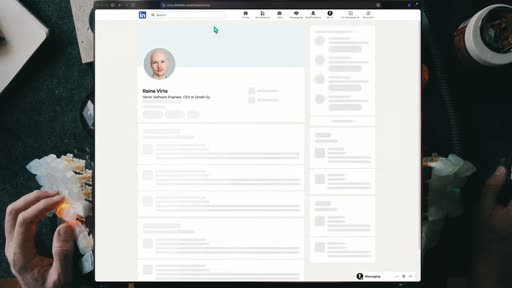
He describes workmux as what you'd get "if tmux and Worktrunk had a love child". It can also sandbox, delegate and coordinate, but he treats the worktree core as what sets it apart. It had under a thousand GitHub stars at the time and is written in Rust, which earns a clip of DHH calling Rust the ugliest language of the last 40 years. The author is Raine Virta, a senior software engineer from Finland; Omer shows his LinkedIn page and jokes that he now has to stalk open source authors online to check they're real.
Setup and the first worktree
He aliases the binary to wm. On a new project, workmux init checks for a Nerd Font, detects which coding agents are installed so it can track their status, and installs agent skills for merging, rebasing and opening PRs. Configuration lives in a dotfile in the project, with an include file that lists git-ignored files to copy into each new tree. A global config directory is created too, but starts nearly empty. The project boilerplate already exposes session mode, window placement and pane layouts.
workmux add <name> is the command he uses most. After running it, the shell's path is a new directory named after the worktree, the tmux window is renamed with a branch icon, and the window opens with a vertical split he didn't ask for. On disk, workmux created a sibling directory to his fatbot project called fatbot__worktrees, with the new tree inside.
He then takes 30 seconds on worktrees themselves. They let you work on several changes at once from separate checkouts instead of stashing and popping, and he calls the feature fantastic but badly served by git's interface. His earlier video covered Worktrunk as the wrapper that fixes most of that; here he says workmux solves the same problems and adds more.
Working with agents
Inside a new tree he starts Pi, his agent, and finds the skills workmux installed. He wasn't sure each step needed its own skill. The commit skill is a short instruction that uses git's --porcelain switch for parseable output (news to him), followed by a quiet rebase and a merge. workmux list shows each tree with its age, path, merge state and whether an agent is running in it.
A second tree for an image-recognition feature starts another agent, and the dashboard takes over. It lists running agents with time, title, worktree and project, plus a preview of the window each agent runs in. A split to the right squeezes that preview into half the width; jumping into the window, zooming it and returning gives the preview the full width. Of the keys along the bottom, d opens a full-screen diff. i switches to input mode: "The preview window is no longer a window, but rather an actual portal into the work tree." He can talk to the agent from the dashboard and press Escape to leave.
For finished work, workmux merge merges and cleans up the tree, but he merges PRs on GitHub, and a local merge would leave the two out of step. So he runs git pull on main and removes the tree with r on the dashboard or the remove subcommand.
For fire-and-forget jobs, workmux add takes -p with a prompt and -a with an agent, since he has no default agent configured. The docs call this the parallel AI workflow; he thinks that oversells it and prefers "the frictionless AI launchpad". Pi starts on the left with the prompt, next to the same unwanted split.
Fixing the layout, the sidebar and sandboxing
The dashboard has a ? help menu, and he rates the docs among the easiest he has read recently. They led him to the pane config: he changed the layout to a vertical pane that makes more sense to him and had the main pane start Pi. New trees now open that way, though Pi appears twice in each new pane for reasons he can't explain.
His remaining complaint was visibility. He had recently reviewed Herdr, whose sidebar was a big reason people liked it. workmux answers with workmux sidebar, a status pane that lives in tmux, so tmux keys can kill or resize it, and config or flags can move it to the top.
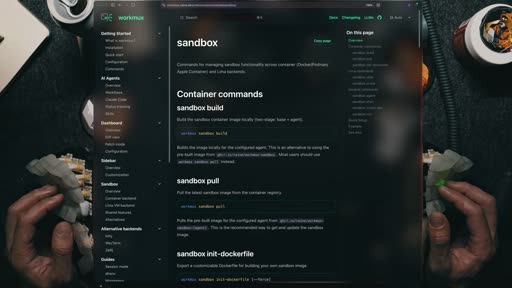
workmux can also run YOLO-mode agents in a sandbox; its docs list container and Lima VM backends. He covered sandboxing with Docker on the channel before. He chose Pi partly for its author's YOLO-by-default stance, so he doesn't use sandboxing day to day, but he likes knowing it's there.
Session mode and cleanup
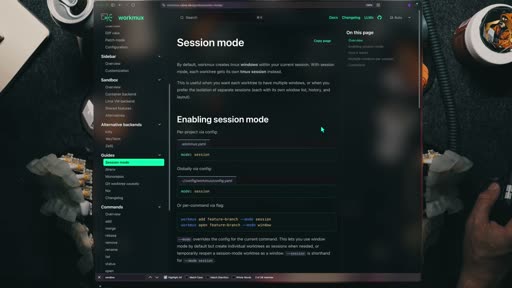
The feature he values most is session mode. Instead of a window per tree, --mode session opens a new tmux session. That matters to him because of his own session manager, sessionx, and its rival sesh, which he has covered before: either one can now preview worktree sessions that workmux launched, and he can jump into them without opening the sidebar or the dashboard. Several sessions can run at once, and each can be configured further. His example adds a test window that runs make, so a tree opens with Pi on the left, a smaller pane on the right and a test window beside them.
He ends on something he says most people miss on the dashboard. With no agents running it looks empty, but Tab opens a hidden worktrees tab: every tree under the path with its git status, whether workmux manages it, and git metadata and a log in place of the preview. r removes a tree (forced if it has changes), and Shift-R selects every merged tree for a sweep that you can trim or accept whole. He calls the features he showed the core essentials, a way to run a modern agent workflow on tmux and worktrees, "exactly as Linus intended".
Key moments
- [00:02] The complaint — "the new terminal for agents" flashes on screen over the talking head (hook frames); terminals, Ghostty forks and from-scratch multiplexers. frame_0001.jpg
- [00:16] The wish list — tmux with "a sprinkle of agents control", Worktrunk-style worktrees, and knowing when things are ready.
- [01:29] workmux introduced — the project site: "Terminal-first workflow for parallel AI agents"; "if tmux and Worktrunk had a love child". frame_0010.jpg
- [01:55] Who wrote it — Raine Virta, Finland, shown on LinkedIn (frame_0009.jpg); Rust, with a DHH cameo.
- [03:20]
workmux add— new tree infatbot__worktrees, renamed tmux window, default vertical split. frame_0012.jpg - [06:47] The dashboard — agents list and live preview;
dfor diff,iturns the preview into a live input ("blew my mind"). - [08:49] Launch with a prompt —
workmux add -p ... -a pi; "the frictionless AI launchpad". - [10:04] Sidebar — workmux's answer to Herdr's sidebar, as a tmux pane. frame_0030.jpg
- [11:02] Session mode — each tree as a tmux session, visible in sessionx or sesh. frame_0038.jpg
- [12:13] Hidden worktrees tab —
Tabon the dashboard,rto remove,Shift-Rto sweep merged trees.
Hook microscope (0-10s)
-
Frames: 20 at 2 fps
Read these hook frames with the Read tool:
hook_frames/frame_0001.jpg(t=0.0s)hook_frames/frame_0002.jpg(t=0.5s)hook_frames/frame_0003.jpg(t=1.0s)hook_frames/frame_0004.jpg(t=1.5s)hook_frames/frame_0005.jpg(t=2.0s)hook_frames/frame_0006.jpg(t=2.5s)hook_frames/frame_0007.jpg(t=3.0s)hook_frames/frame_0008.jpg(t=3.5s)hook_frames/frame_0009.jpg(t=4.0s)hook_frames/frame_0010.jpg(t=4.5s)hook_frames/frame_0011.jpg(t=5.0s)hook_frames/frame_0012.jpg(t=5.5s)hook_frames/frame_0013.jpg(t=6.0s)hook_frames/frame_0014.jpg(t=6.5s)hook_frames/frame_0015.jpg(t=7.0s)hook_frames/frame_0016.jpg(t=7.5s)hook_frames/frame_0017.jpg(t=8.0s)hook_frames/frame_0018.jpg(t=8.5s)hook_frames/frame_0019.jpg(t=9.0s)hook_frames/frame_0020.jpg(t=9.5s)
-
Word-level transcript (32 words):
  [  0.08s] Do
  [  0.12s] you
  [  0.30s] also
  [  0.54s] feel
  [  0.78s] the
  [  0.96s] internet
  [  1.44s] is
  [  1.67s] flooded
  [  2.00s] with
  [  2.26s] projects
  [  2.64s] all
  [  2.80s] trying
  [  3.04s] to
  [  3.11s] tell
  [  3.34s] you
  [  3.52s] it's
  [  3.68s] the
  [  3.84s] new
  [  4.16s] terminal
  [  4.61s] for
  [  4.90s] agents,
  [  5.24s] people
  [  5.58s] shipping
  [  6.04s] literal
  [  6.44s] terminals,
  [  7.12s] forking
  [  7.84s] ghosty
  [  8.47s] or
  [  8.64s] building
  [  9.55s] their
  [ 10.00s] own
  [ 10.00s] multiplexer
- 0.0-2.0s: He's mid-gesture, arms open, already talking ("Do you also feel the internet is flooded..."); the first frame carries a zoom blur from the cut in.
- 2.0-5.0s: Same framing. Around 4.5s the words "THE NEW TERMINAL FOR AGENTS" appear in big white type across his chest as he says them.
- 5.0-7.5s: Text clears; he lists "people shipping literal terminals".
- 7.5-10.0s: A Ghostty icon pops in at the left as he says "forking ghosty", then "building their own multiplexer".
Pattern: a shared-frustration question ("Do you also feel...") that names the trend he is about to push against, with on-screen captions of the trend's own slogan. The product doesn't appear until 1:29; the first minute is his wish list, so the reveal reads as the answer to it.
Editorial profile
- Shots: 40
- Cuts/min: 3.01
- Mean shot length: 20.42s
- Median shot length: 8.34s
- Talking-head ratio: n/a (opencv not installed)
Talking head in front of a lit keyboard wall, alternating with dimmed screencasts laid over an overhead desk shot of his split keyboard and hands; docs pages shown as proof. About 3 cuts per minute (median shot 8s): calm, explain-then-show pacing.
Quotable moments
- [00:16] "I just want tmux. I want tmux with a sprinkle of agents control. That's it."
- [00:45] "It's like a thousand people gathered up in a town hall and all decided to vibe code agentic multiplexers and release them to the wild."
- [07:43] "The preview window is no longer a window, but rather an actual portal into the work tree."
- [08:46] "I'd call it the frictionless AI launchpad. Mine sounds better, doesn't it?"
- [01:17] "So if you're not sending agents for LinkedIn engagement and actually need to ship, follow me."
Entities mentioned
- People: omer-hamerman, raine-virta, dhh (archive clip), Linus Torvalds ("as Linus intended")
- Companies: GitHub
- Tools / products: workmux, tmux, Worktrunk,
pi-agent, herdr, sessionx, sesh, Ghostty, git, Docker, Lima - Places: Finland
Concepts surfaced
- worktree-per-task: one git worktree per change or agent, so nothing gets stashed; workmux puts them in a sibling
<project>__worktreesdirectory and gives each its own tmux window or session. - session-per-worktree: run each worktree as its own tmux session, so whatever session manager you already use becomes the agent switcher.
- augment-over-replace: add agent control to tmux rather than move to a new terminal or multiplexer; his reason for picking workmux over Herdr.
- Interactive preview: a dashboard preview that accepts input (
i), so you can steer an agent without switching windows.
Frame timeline
What's said while each frame is on screen.
[00:00]

Do you also feel the internet is flooded with projects all trying to tell you it's the new terminal for agents? People shipping literal terminals, forking ghosty, or building their own multiplexer from scratch. Some are great, some are absolute junk. Some catch so fast you get the agent Toby Lutk on them in a week. But me, I just
[00:18]

catch so fast you get the agent Toby Lutk on them in a week. But me, I just want Teimmax. I want Teimmax with a sprinkle of agents control. That's it.
[00:23]

want Teimmax. I want Teimmax with a sprinkle of agents control. That's it. Wait, you know what? I also like work trees, especially with the work trunk style. I'd also like to know when things are ready. Not all that difficult, is it? And while I covered many projects doing either, I've never had all my wishes answered simultaneously. But then a colleague showed me this. Now, if I wasn't clear already, at this point, I'm fed up with projects promising to be the new T-Max....
[01:12]

session support. So now I can actually use my beloved session manager, fuzzy find and pick trees, review, move around, and gain real control for real work. So if you're not sending agents for LinkedIn engagement and actually need to ship, follow me. [music]
[01:28]

Workmix work tree pain points solved [music] or as I'd call it if T-Max and Work Trunk had a love child. There's more than what I've mentioned it can sandbox, delegate, coordinate, but the core is what makes it unique. Not enough thousand stars yet written in the language DHH defines as Rush to me is like pouring acid in my eyes. It is in my opinion the ugliest programming language that has been invented in probably the last 40 years. Yeah. Anyway, [music] written by Rain...
[02:06]
AI agent since he also gave AI access to places I wouldn't imagine. Nevertheless, assistant software engineer out of Finland. And I just noticed I'm at a point where I have to online stock open source authors to see if they're legit. Anyway, Workmax, like others, start with, you know what, once installed, give it a quick WM alias and start working. The most used subcommand in workm is the first add. [music] You'll find setup keys, agent interactions, and other stuff as...
[04:01]

inside it. I'm saying too many work trees maybe with not enough context. Okay, 30 seconds about work trees. It's the better like way better hidden git option for [music] branches. Forget all about these stashing and popping changes. Work simultaneously on different changes using different snapshots. The one huge problem with it is that it's a fantastic git feature with terrible UIX. I made a video covering basic usage of work trees as well as the beautiful wrapper around it...
[05:19]

up to do, by the looks of it, I'm actually not using this list at all. My Mac is messy, and I'm actually fine with
[05:22]

actually not using this list at all. My Mac is messy, and I'm actually fine with
[05:23]
actually not using this list at all. My Mac is messy, and I'm actually fine with that. I've got projects, random downloads, half finished ideas, files I'll probably never see again in 6 months. That's my mess. I definitely don't want all of that to disappear suddenly. The stuff I do want gone is everything Mac OS quietly collects underneath it. system caches, broken
[05:37]
suddenly. The stuff I do want gone is everything Mac OS quietly collects underneath it. system caches, broken downloads, development leftovers, and duplicate files. That's exactly where Clean My Mac, today's video sponsor, comes in. Instead of hunting through directories, I use Space Lens. It builds a visual map of my drive so I can see what's actually eating my storage, making it super easy to spot massive space wasters. Then, clean up shows me
[05:55]
what's actually eating my storage, making it super easy to spot massive space wasters. Then, clean up shows me what's safe to remove, and I'm still the one deciding what goes. Beyond storage, it keep things running safely behind the scenes. It uses Moonlock Engine to scan
[06:03]
one deciding what goes. Beyond storage, it keep things running safely behind the scenes. It uses Moonlock Engine to scan and remove malware in one click. And the My Activity tab shows me exactly how much space I've reclaimed over time and how much manual effort I've avoided. So yeah, keep your messy projects, your drafts, your weird folder structure. Clean the junk, not the work. That's basically the idea. If you want to try it out, Clean My Mac gives you 7 days
[06:23]

Clean the junk, not the work. That's basically the idea. If you want to try it out, Clean My Mac gives you 7 days free and Code Toolbox gets you 20% off. Link in the description. Now, back to the video. Let's add another feature,
[06:29]
free and Code Toolbox gets you 20% off. Link in the description. Now, back to the video. Let's add another feature, something I wanted to add for a long time. Image recognition. There we are with yet another new work tree, T-Max Windows, etc. It's getting a bit crowded up there, but don't worry, we're fixing that too today. In the meantime, let's send another agent on its way and check out my second favorite feature of Workmax, the dashboard. Fire it from the CLI and...
[08:30]

main and remove the word tree using R on the dashboard or the remove sub command. Sometimes you just want to set and forget an agent. Just have the thing fix a simple bug and work on it while you get on with other work. You don't want to break your flow completely. Well, get this. The parallel AI workflow is a bit
[08:43]
to break your flow completely. Well, get this. The parallel AI workflow is a bit of an exaggeration if you ask me. I'd call it the frictionless AI launchpad. Mine sounds better, doesn't it? Workmix ad with a P for prompt can send the prompt straight from the firing command. You will however and actually obviously be required to provide an agent. I don't have one configured as default. So add hyphen a for agent pick pi and pi is running on the left with the prompt, but we...
[09:46]

twice with every new pane. Nevertheless, pi runs. So I've fixed that. But there's something that still annoys me with Workmax. You see, I've recently covered Herder. And one of its biggest selling points was its sidebar, telling you what's going on while you work. So, having lots of stuff running without visibility ain't doing much. And that's why Herder clicked for so many people. Well, here's the Workm response. A sidebar of its own in a T-max pane. Workmax sidebar. And...
[10:30]

config yl or use flags to set it on top for example, whatever suits your workflow or style. [music] Now I briefly touched on sandboxing earlier and I did touch sandboxing on the channel with docker and other options. Well, here's
[10:36]
touched on sandboxing earlier and I did touch sandboxing on the channel with docker and other options. Well, here's an open source that doesn't only add work trees to t-max brings visibility and actions to agent control. You can send box yolo mode agents. But if you follow this channel, you know that one of the reasons I picked Pi in the first place was the author's approach to YOLO by default. This doesn't mean I'm trying to intentionally break things, but I'm not using it...
[11:00]

not using it as a daily component. I am, however, happy to know it's there if I need it. With that in mind, let's go for the biggest workflow feature that Workm has brought [music] to my life. Session mode. Yep. Instead of battling with Windows and a mess of too many tabs going on like a typical product
[11:11]
mode. Yep. Instead of battling with Windows and a mess of too many tabs going on like a typical product manager's Chrome, us civilized people,
[11:13]
Windows and a mess of too many tabs going on like a typical product manager's Chrome, us civilized people, we use sessions. The first way to do things is adding the mode flag with session. It opens up the splits with Pi. But more importantly, a new session you can see on top. And the reason I'm so excited about this is this little window, my beloved and quite popular, should I say, TMAX session plug-in. I have a video covering session X and also its rival Sesh that looks...
[13:16]

one of the best Git features out there. Thank you for watching. I'll see you on the next
Transcript
Source: captions.
[00:02] Do you also feel the internet is flooded with projects all trying to tell you
[00:04] with projects all trying to tell you it's the new terminal for agents? People
[00:06] it's the new terminal for agents? People shipping literal terminals, forking
[00:08] shipping literal terminals, forking ghosty, or building their own
[00:09] ghosty, or building their own multiplexer from scratch. Some are
[00:11] multiplexer from scratch. Some are great, some are absolute junk. Some
[00:14] great, some are absolute junk. Some catch so fast you get the agent Toby
[00:17] catch so fast you get the agent Toby Lutk on them in a week. But me, I just
[00:20] Lutk on them in a week. But me, I just want Teimmax. I want Teimmax with a
[00:22] want Teimmax. I want Teimmax with a sprinkle of agents control. That's it.
[00:24] sprinkle of agents control. That's it. Wait, you know what? I also like work
[00:26] Wait, you know what? I also like work trees, especially with the work trunk
[00:28] trees, especially with the work trunk style. I'd also like to know when things
[00:29] style. I'd also like to know when things are ready. Not all that difficult, is
[00:31] are ready. Not all that difficult, is it? And while I covered many projects
[00:34] it? And while I covered many projects doing either, I've never had all my
[00:36] doing either, I've never had all my wishes answered simultaneously. But then
[00:39] wishes answered simultaneously. But then a colleague showed me this. Now, if I
[00:42] a colleague showed me this. Now, if I wasn't clear already, at this point, I'm
[00:44] wasn't clear already, at this point, I'm fed up with projects promising to be the
[00:46] fed up with projects promising to be the new T-Max. It's like a thousand people
[00:48] new T-Max. It's like a thousand people gathered up in a town hall and all
[00:49] gathered up in a town hall and all decided to vibe code agentic
[00:51] decided to vibe code agentic multiplexers and release them to the
[00:53] multiplexers and release them to the wild. But my colleague pushed, so I took
[00:55] wild. But my colleague pushed, so I took it for a spin and what do you know? It
[00:57] it for a spin and what do you know? It delivered. I don't have to leave T-Max.
[00:59] delivered. I don't have to leave T-Max. I get a dashboard, a small control
[01:01] I get a dashboard, a small control plane, work trees, first class citizens,
[01:03] plane, work trees, first class citizens, and full visibility into everything
[01:05] and full visibility into everything that's running. But wait, it gets even
[01:07] that's running. But wait, it gets even better. This thing comes with T-Mac
[01:09] better. This thing comes with T-Mac session support. So now I can actually
[01:11] session support. So now I can actually use my beloved session manager, fuzzy
[01:13] use my beloved session manager, fuzzy find and pick trees, review, move
[01:15] find and pick trees, review, move around, and gain real control for real
[01:18] around, and gain real control for real work. So if you're not sending agents
[01:20] work. So if you're not sending agents for LinkedIn engagement and actually
[01:22] for LinkedIn engagement and actually need to ship, follow me.
[01:25] need to ship, follow me. [music]
[01:32] Workmix work tree pain points solved [music] or as I'd call it if T-Max and
[01:34] [music] or as I'd call it if T-Max and Work Trunk had a love child. There's
[01:36] Work Trunk had a love child. There's more than what I've mentioned it can
[01:38] more than what I've mentioned it can sandbox, delegate, coordinate, but the
[01:41] sandbox, delegate, coordinate, but the core is what makes it unique. Not enough
[01:43] core is what makes it unique. Not enough thousand stars yet written in the
[01:45] thousand stars yet written in the language DHH defines as Rush to me is
[01:48] language DHH defines as Rush to me is like pouring acid in my eyes. It is in
[01:50] like pouring acid in my eyes. It is in my opinion the ugliest programming
[01:52] my opinion the ugliest programming language that has been invented in
[01:53] language that has been invented in probably the last 40 years. Yeah.
[01:56] probably the last 40 years. Yeah. Anyway, [music] written by Rain Vera. I
[01:58] Anyway, [music] written by Rain Vera. I hope I'm saying it right. And I'm
[02:00] hope I'm saying it right. And I'm assuming together with an enthusiastic
[02:02] assuming together with an enthusiastic AI agent since he also gave AI access to
[02:06] AI agent since he also gave AI access to places I wouldn't imagine. Nevertheless,
[02:07] places I wouldn't imagine. Nevertheless, assistant software engineer out of
[02:09] assistant software engineer out of Finland. And I just noticed I'm at a
[02:11] Finland. And I just noticed I'm at a point where I have to online stock open
[02:13] point where I have to online stock open source authors to see if they're legit.
[02:16] source authors to see if they're legit. Anyway, Workmax, like others, start
[02:18] Anyway, Workmax, like others, start with, you know what, once installed,
[02:20] with, you know what, once installed, give it a quick WM alias and start
[02:23] give it a quick WM alias and start working. The most used subcommand in
[02:26] working. The most used subcommand in workm is the first add. [music] You'll
[02:28] workm is the first add. [music] You'll find setup keys, agent interactions, and
[02:30] find setup keys, agent interactions, and other stuff as well. We'll get to these
[02:32] other stuff as well. We'll get to these soon. If this is a new project, it'll be
[02:35] soon. If this is a new project, it'll be wise to first in it. It'll make sure you
[02:37] wise to first in it. It'll make sure you can see nerd font, detect installed
[02:39] can see nerd font, detect installed agents to track their status, and I have
[02:41] agents to track their status, and I have quite a few. Lastly, it'll install the
[02:44] quite a few. Lastly, it'll install the skills necessary to merge rebase, open
[02:46] skills necessary to merge rebase, open PRs, etc. Now, the last thing to check
[02:48] PRs, etc. Now, the last thing to check is the workm config. This one is a dot
[02:52] is the workm config. This one is a dot file under the project which also comes
[02:54] file under the project which also comes with an include file allowing ignored
[02:56] with an include file allowing ignored git files to get copied around to new
[02:58] git files to get copied around to new trees. While this file got created, you
[03:01] trees. While this file got created, you also get a new workbook directory within
[03:04] also get a new workbook directory within the global config under your config
[03:06] the global config under your config path. This one however has basically
[03:09] path. This one however has basically nothing yet. Going back to the local
[03:11] nothing yet. Going back to the local boilerplate config, you'll find lots of
[03:13] boilerplate config, you'll find lots of cool stuff like a special mode, windows
[03:16] cool stuff like a special mode, windows placements, pes configurations, and
[03:18] placements, pes configurations, and others. But let's start slowly. We
[03:20] others. But let's start slowly. We mentioned add would be your most trusted
[03:23] mentioned add would be your most trusted command. So workbooks add give it a name
[03:26] command. So workbooks add give it a name and lo and behold something had
[03:28] and lo and behold something had happened. Let's go through it one by
[03:30] happened. Let's go through it one by one. First off on top you will have
[03:32] one. First off on top you will have noticed our path [music] has changed.
[03:34] noticed our path [music] has changed. This is a directory with the name of our
[03:36] This is a directory with the name of our work tree. There's also a rename of the
[03:38] work tree. There's also a rename of the teammax window with a little branch
[03:40] teammax window with a little branch icon. Zooming out will make it more
[03:42] icon. Zooming out will make it more obvious that we also have a vertical
[03:44] obvious that we also have a vertical split which I'm not entirely sure of why
[03:47] split which I'm not entirely sure of why this is the default. We'll change that
[03:49] this is the default. We'll change that later. Exploring the path. Workmooks had
[03:51] later. Exploring the path. Workmooks had created a new neighbor directory to my
[03:53] created a new neighbor directory to my fatbot project. It's now called Fatbot
[03:56] fatbot project. It's now called Fatbot work trees and created this work tree
[03:58] work trees and created this work tree inside it. I'm saying too many work
[04:00] inside it. I'm saying too many work trees maybe with not enough context.
[04:02] trees maybe with not enough context. Okay, 30 seconds about work trees. It's
[04:04] Okay, 30 seconds about work trees. It's the better like way better hidden git
[04:07] the better like way better hidden git option for [music] branches. Forget all
[04:09] option for [music] branches. Forget all about these stashing and popping
[04:11] about these stashing and popping changes. Work simultaneously on
[04:13] changes. Work simultaneously on different changes using different
[04:14] different changes using different snapshots. The one huge problem with it
[04:17] snapshots. The one huge problem with it is that it's a fantastic git feature
[04:18] is that it's a fantastic git feature with terrible UIX. I made a video
[04:20] with terrible UIX. I made a video covering basic usage of work trees as
[04:22] covering basic usage of work trees as well as the beautiful wrapper around it
[04:24] well as the beautiful wrapper around it that makes it almost perfect work trunk.
[04:27] that makes it almost perfect work trunk. However, workm in my humble opinion
[04:29] However, workm in my humble opinion solves all of the problems while giving
[04:31] solves all of the problems while giving you a lot more. Naturally, the first
[04:33] you a lot more. Naturally, the first thing I do these days with any new
[04:35] thing I do these days with any new branch or work tree is firing up Pi. And
[04:38] branch or work tree is firing up Pi. And there's our new skills. Opening a PR,
[04:40] there's our new skills. Opening a PR, merging, and so on. I wasn't sure why we
[04:43] merging, and so on. I wasn't sure why we actually need a skill for each and so
[04:45] actually need a skill for each and so it's a very short instruction helping
[04:47] it's a very short instruction helping out with creating a commit. By the way,
[04:49] out with creating a commit. By the way, did you know porcelain is an optional
[04:51] did you know porcelain is an optional switch? It gives you parsible output
[04:53] switch? It gives you parsible output apparently. This is then followed by a
[04:56] apparently. This is then followed by a quiet rebase and then merge. Once we
[04:58] quiet rebase and then merge. Once we have a task running, we want some
[05:00] have a task running, we want some visibility into what's going on. I mean,
[05:03] visibility into what's going on. I mean, that's why we're all here. So, you can
[05:05] that's why we're all here. So, you can use Workmax list. It'll give you all the
[05:07] use Workmax list. It'll give you all the branches or trees rather with their age,
[05:10] branches or trees rather with their age, path, and so on. whether they're merge
[05:12] path, and so on. whether they're merge or not and whether an agent is running
[05:14] or not and whether an agent is running in sight. And while I have some cleaning
[05:16] in sight. And while I have some cleaning up to do, by the looks of it, I'm
[05:18] up to do, by the looks of it, I'm actually not using this list at all. My
[05:21] actually not using this list at all. My Mac is messy, and I'm actually fine with
[05:23] Mac is messy, and I'm actually fine with that. I've got projects, random
[05:25] that. I've got projects, random downloads, half finished ideas, files
[05:27] downloads, half finished ideas, files I'll probably never see again in 6
[05:29] I'll probably never see again in 6 months. That's my mess. I definitely
[05:31] months. That's my mess. I definitely don't want all of that to disappear
[05:33] don't want all of that to disappear suddenly. The stuff I do want gone is
[05:35] suddenly. The stuff I do want gone is everything Mac OS quietly collects
[05:37] everything Mac OS quietly collects underneath it. system caches, broken
[05:39] underneath it. system caches, broken downloads, development leftovers, and
[05:41] downloads, development leftovers, and duplicate files. That's exactly where
[05:43] duplicate files. That's exactly where Clean My Mac, today's video sponsor,
[05:45] Clean My Mac, today's video sponsor, comes in. Instead of hunting through
[05:46] comes in. Instead of hunting through directories, I use Space Lens. It builds
[05:49] directories, I use Space Lens. It builds a visual map of my drive so I can see
[05:51] a visual map of my drive so I can see what's actually eating my storage,
[05:53] what's actually eating my storage, making it super easy to spot massive
[05:55] making it super easy to spot massive space wasters. Then, clean up shows me
[05:57] space wasters. Then, clean up shows me what's safe to remove, and I'm still the
[05:59] what's safe to remove, and I'm still the one deciding what goes. Beyond storage,
[06:01] one deciding what goes. Beyond storage, it keep things running safely behind the
[06:03] it keep things running safely behind the scenes. It uses Moonlock Engine to scan
[06:06] scenes. It uses Moonlock Engine to scan and remove malware in one click. And the
[06:08] and remove malware in one click. And the My Activity tab shows me exactly how
[06:11] My Activity tab shows me exactly how much space I've reclaimed over time and
[06:13] much space I've reclaimed over time and how much manual effort I've avoided. So
[06:15] how much manual effort I've avoided. So yeah, keep your messy projects, your
[06:17] yeah, keep your messy projects, your drafts, your weird folder structure.
[06:19] drafts, your weird folder structure. Clean the junk, not the work. That's
[06:21] Clean the junk, not the work. That's basically the idea. If you want to try
[06:23] basically the idea. If you want to try it out, Clean My Mac gives you 7 days
[06:25] it out, Clean My Mac gives you 7 days free and Code Toolbox gets you 20% off.
[06:28] free and Code Toolbox gets you 20% off. Link in the description. Now, back to
[06:29] Link in the description. Now, back to the video. Let's add another feature,
[06:31] the video. Let's add another feature, something I wanted to add for a long
[06:33] something I wanted to add for a long time. Image recognition. There we are
[06:35] time. Image recognition. There we are with yet another new work tree, T-Max
[06:37] with yet another new work tree, T-Max Windows, etc. It's getting a bit crowded
[06:40] Windows, etc. It's getting a bit crowded up there, but don't worry, we're fixing
[06:42] up there, but don't worry, we're fixing that too today. In the meantime, let's
[06:44] that too today. In the meantime, let's send another agent on its way and check
[06:46] send another agent on its way and check out my second favorite feature of
[06:48] out my second favorite feature of Workmax, the dashboard. Fire it from the
[06:50] Workmax, the dashboard. Fire it from the CLI and observe. My two agents currently
[06:53] CLI and observe. My two agents currently running with time, title, work tree, and
[06:56] running with time, title, work tree, and project. For those of you puppet
[06:57] project. For those of you puppet mastering more than three projects, I'm
[06:59] mastering more than three projects, I'm joking. No one actually does that.
[07:01] joking. No one actually does that. There's also, or mainly, should I say, a
[07:03] There's also, or mainly, should I say, a preview, a nice glimpse into the window
[07:06] preview, a nice glimpse into the window where the agent is running. Now, this
[07:08] where the agent is running. Now, this has a graphic problem I'm not sure
[07:10] has a graphic problem I'm not sure anyone can overcome by having a split to
[07:13] anyone can overcome by having a split to the right, forcing the preview to
[07:14] the right, forcing the preview to condense itself into one side. If I pop
[07:17] condense itself into one side. If I pop in there, which is actually doable by
[07:19] in there, which is actually doable by hitting enter and then zoom into the
[07:21] hitting enter and then zoom into the window, go back to the dashboard, Timmax
[07:23] window, go back to the dashboard, Timmax window now has the preview using the
[07:25] window now has the preview using the entire width of its real estate. But
[07:28] entire width of its real estate. But this is way more than just a preview
[07:30] this is way more than just a preview window. If you look at the bottom, workm
[07:32] window. If you look at the bottom, workm gives you options and keys to use. You
[07:35] gives you options and keys to use. You can hit D, for example, where it makes
[07:37] can hit D, for example, where it makes sense to view a div, which will open a
[07:39] sense to view a div, which will open a full screen window with changes. Yeah,
[07:41] full screen window with changes. Yeah, not like this one. But if you hit I for
[07:44] not like this one. But if you hit I for input, get this. The preview window is
[07:47] input, get this. The preview window is no longer a window, but rather an actual
[07:49] no longer a window, but rather an actual portal into the work tree. I can now
[07:51] portal into the work tree. I can now control it, speak to the agent, and when
[07:53] control it, speak to the agent, and when I'm ready, hit escape and move back out.
[07:56] I'm ready, hit escape and move back out. This step blew my mind to be honest. And
[07:58] This step blew my mind to be honest. And there's more. But first, what do you
[08:01] there's more. But first, what do you actually do when something's ready? If
[08:03] actually do when something's ready? If you take a PR and merge it on GitHub,
[08:05] you take a PR and merge it on GitHub, whether you use a merge commit or not,
[08:07] whether you use a merge commit or not, it's now misaligned with the local
[08:09] it's now misaligned with the local environment. And while I can run workm,
[08:12] environment. And while I can run workm, which by the way merges and cleans up
[08:13] which by the way merges and cleans up the work tree for you, I still find it
[08:16] the work tree for you, I still find it odd. For start, the actual merges
[08:18] odd. For start, the actual merges happens on GitHub for me, not locally.
[08:20] happens on GitHub for me, not locally. I'd like to align them together rather
[08:22] I'd like to align them together rather than copy the process and hope for the
[08:24] than copy the process and hope for the best. What I'd actually do is get pull
[08:26] best. What I'd actually do is get pull main and remove the word tree using R on
[08:29] main and remove the word tree using R on the dashboard or the remove sub command.
[08:31] the dashboard or the remove sub command. Sometimes you just want to set and
[08:33] Sometimes you just want to set and forget an agent. Just have the thing fix
[08:35] forget an agent. Just have the thing fix a simple bug and work on it while you
[08:37] a simple bug and work on it while you get on with other work. You don't want
[08:39] get on with other work. You don't want to break your flow completely. Well, get
[08:42] to break your flow completely. Well, get this. The parallel AI workflow is a bit
[08:44] this. The parallel AI workflow is a bit of an exaggeration if you ask me. I'd
[08:46] of an exaggeration if you ask me. I'd call it the frictionless AI launchpad.
[08:49] call it the frictionless AI launchpad. Mine sounds better, doesn't it? Workmix
[08:51] Mine sounds better, doesn't it? Workmix ad with a P for prompt can send the
[08:54] ad with a P for prompt can send the prompt straight from the firing command.
[08:56] prompt straight from the firing command. You will however and actually obviously
[08:58] You will however and actually obviously be required to provide an agent. I don't
[09:01] be required to provide an agent. I don't have one configured as default. So add
[09:03] have one configured as default. So add hyphen a for agent pick pi and pi is
[09:07] hyphen a for agent pick pi and pi is running on the left with the prompt, but
[09:09] running on the left with the prompt, but we still have this annoying unnecessary
[09:11] we still have this annoying unnecessary split. Don't worry, we're fixing that
[09:13] split. Don't worry, we're fixing that now. In the dashboard, as with any
[09:15] now. In the dashboard, as with any modern 2e, you'll find the help menu
[09:18] modern 2e, you'll find the help menu available from hitting the question
[09:19] available from hitting the question mark. And if we can't find the solution
[09:21] mark. And if we can't find the solution there, the docs are one of the nicest,
[09:23] there, the docs are one of the nicest, easiest to go through I've seen
[09:25] easiest to go through I've seen recently. So I searched and found the
[09:27] recently. So I searched and found the configs for the splits, let's make it go
[09:29] configs for the splits, let's make it go away. doconfig, workm and workm add
[09:33] away. doconfig, workm and workm add panes [music] and a vertical pane to
[09:35] panes [music] and a vertical pane to make more sense, but also have the main
[09:37] make more sense, but also have the main one run pi already for us. Save. Add a
[09:40] one run pi already for us. Save. Add a work tree. Don't ask me why I see pi
[09:43] work tree. Don't ask me why I see pi twice with every new pane. Nevertheless,
[09:45] twice with every new pane. Nevertheless, pi runs. So I've fixed that. But there's
[09:49] pi runs. So I've fixed that. But there's something that still annoys me with
[09:50] something that still annoys me with Workmax. You see, I've recently covered
[09:52] Workmax. You see, I've recently covered Herder. And one of its biggest selling
[09:54] Herder. And one of its biggest selling points was its sidebar, telling you
[09:57] points was its sidebar, telling you what's going on while you work. So,
[09:59] what's going on while you work. So, having lots of stuff running without
[10:00] having lots of stuff running without visibility ain't doing much. And that's
[10:03] visibility ain't doing much. And that's why Herder clicked for so many people.
[10:05] why Herder clicked for so many people. Well, here's the Workm response. A
[10:07] Well, here's the Workm response. A sidebar of its own in a T-max pane.
[10:09] sidebar of its own in a T-max pane. Workmax sidebar. And boom, everything
[10:12] Workmax sidebar. And boom, everything you need to know what's up right there
[10:14] you need to know what's up right there next to your workspace. Now, this is
[10:17] next to your workspace. Now, this is T-Max. You can obviously kill, resize,
[10:19] T-Max. You can obviously kill, resize, etc. [music]
[10:20] etc. [music] using just Timmax motions. Now you can
[10:23] using just Timmax motions. Now you can configure the sidebar preferences in the
[10:25] configure the sidebar preferences in the config yl or use flags to set it on top
[10:27] config yl or use flags to set it on top for example, whatever suits your
[10:29] for example, whatever suits your workflow or style. [music] Now I briefly
[10:32] workflow or style. [music] Now I briefly touched on sandboxing earlier and I did
[10:34] touched on sandboxing earlier and I did touch sandboxing on the channel with
[10:35] touch sandboxing on the channel with docker and other options. Well, here's
[10:37] docker and other options. Well, here's an open source that doesn't only add
[10:39] an open source that doesn't only add work trees to t-max brings visibility
[10:41] work trees to t-max brings visibility and actions to agent control. You can
[10:43] and actions to agent control. You can send box yolo mode agents. But if you
[10:46] send box yolo mode agents. But if you follow this channel, you know that one
[10:47] follow this channel, you know that one of the reasons I picked Pi in the first
[10:49] of the reasons I picked Pi in the first place was the author's approach to YOLO
[10:52] place was the author's approach to YOLO by default. This doesn't mean I'm trying
[10:54] by default. This doesn't mean I'm trying to intentionally break things, but I'm
[10:56] to intentionally break things, but I'm not using it as a daily component. I am,
[10:58] not using it as a daily component. I am, however, happy to know it's there if I
[11:00] however, happy to know it's there if I need it. With that in mind, let's go for
[11:02] need it. With that in mind, let's go for the biggest workflow feature that Workm
[11:04] the biggest workflow feature that Workm has brought [music] to my life. Session
[11:06] has brought [music] to my life. Session mode. Yep. Instead of battling with
[11:08] mode. Yep. Instead of battling with Windows and a mess of too many tabs
[11:10] Windows and a mess of too many tabs going on like a typical product
[11:12] going on like a typical product manager's Chrome, us civilized people,
[11:14] manager's Chrome, us civilized people, we use sessions. The first way to do
[11:17] we use sessions. The first way to do things is adding the mode flag with
[11:19] things is adding the mode flag with session. It opens up the splits with Pi.
[11:22] session. It opens up the splits with Pi. But more importantly, a new session you
[11:24] But more importantly, a new session you can see on top. And the reason I'm so
[11:26] can see on top. And the reason I'm so excited about this is this little
[11:28] excited about this is this little window, my beloved and quite popular,
[11:30] window, my beloved and quite popular, should I say, TMAX session plug-in. I
[11:32] should I say, TMAX session plug-in. I have a video covering session X and also
[11:34] have a video covering session X and also its rival Sesh that looks like so. Both
[11:37] its rival Sesh that looks like so. Both are doing similar work. The point is I
[11:40] are doing similar work. The point is I can now use either to preview my workree
[11:42] can now use either to preview my workree sessions launched by workm inside my own
[11:45] sessions launched by workm inside my own plug-in. I don't have to use the sidebar
[11:47] plug-in. I don't have to use the sidebar or go back to dashboard. It's all right
[11:49] or go back to dashboard. It's all right there. You can start multiple and
[11:51] there. You can start multiple and they'll become available immediately in
[11:53] they'll become available immediately in any session manager both visually and
[11:55] any session manager both visually and physically allowing you to jump right
[11:57] physically allowing you to jump right in. And if your heart desires, you can
[12:00] in. And if your heart desires, you can keep configuring the new session, adding
[12:02] keep configuring the new session, adding panes or windows, like I don't know, a
[12:04] panes or windows, like I don't know, a testing tab that runs make for example.
[12:06] testing tab that runs make for example. And there we go. Pi on the left, smaller
[12:09] And there we go. Pi on the left, smaller pane on the right, and a test window on
[12:11] pane on the right, and a test window on the side. Lastly, let's check out the
[12:13] the side. Lastly, let's check out the dashboard again to see something
[12:14] dashboard again to see something everyone misses on their first look.
[12:16] everyone misses on their first look. When you open Workmax, it'll give you a
[12:18] When you open Workmax, it'll give you a clean list of current running agents.
[12:21] clean list of current running agents. And if there are none, it'll look empty
[12:22] And if there are none, it'll look empty and lifeless. But if you hit tab to go
[12:25] and lifeless. But if you hit tab to go to the work trees hidden tab, you'll be
[12:27] to the work trees hidden tab, you'll be able to look at current work trees under
[12:29] able to look at current work trees under this path. With g statuses and more and
[12:31] this path. With g statuses and more and also whether workm is even responsible
[12:33] also whether workm is even responsible for them or not instead of preview
[12:36] for them or not instead of preview there's git metadata and a log from here
[12:38] there's git metadata and a log from here you can start cleaning up. Hit R for
[12:40] you can start cleaning up. Hit R for removal and sometimes you'll actually
[12:41] removal and sometimes you'll actually have to force it if it has changes. But
[12:44] have to force it if it has changes. But if you hit shift R then you get a sweep
[12:46] if you hit shift R then you get a sweep cleaner literally picking all the
[12:48] cleaner literally picking all the merriage trees where you can deselect
[12:50] merriage trees where you can deselect them or keep all. And once you hit,
[12:53] them or keep all. And once you hit, poof, they're gone. There are lots more
[12:55] poof, they're gone. There are lots more cool stuff you can do and configure with
[12:57] cool stuff you can do and configure with Workm, but for me, these are the core
[12:59] Workm, but for me, these are the core essentials. The ability to control
[13:01] essentials. The ability to control modern style workflow still using T-Max
[13:04] modern style workflow still using T-Max and work trees, exactly as Linus
[13:06] and work trees, exactly as Linus intended. I do, however, suggest you
[13:08] intended. I do, however, suggest you wrap your head around work fundamentals
[13:10] wrap your head around work fundamentals first in this video right here. Probably
[13:12] first in this video right here. Probably one of the best Git features out there.
[13:14] one of the best Git features out there. Thank you for watching. I'll see you on
[13:16] Thank you for watching. I'll see you on the next
All frames
Total: 40. Hero frames flagged with star.
frames/frame_0001.jpg(t=00:00)frames/frame_0002.jpg(t=00:15)frames/frame_0003.jpg(t=00:18)frames/frame_0004.jpg(t=00:24)frames/frame_0005.jpg(t=01:10)frames/frame_0006.jpg(t=01:13)frames/frame_0007.jpg(t=01:23)frames/frame_0008.jpg(t=01:29)frames/frame_0009.jpg(t=02:07)frames/frame_0010.jpg(t=02:15)frames/frame_0011.jpg(t=04:02)frames/frame_0012.jpg(t=04:32)frames/frame_0013.jpg(t=05:20)frames/frame_0014.jpg(t=05:21)frames/frame_0015.jpg(t=05:22)frames/frame_0016.jpg(t=05:23)frames/frame_0017.jpg(t=05:26)frames/frame_0018.jpg(t=05:38)frames/frame_0019.jpg(t=05:42)frames/frame_0020.jpg(t=05:56)frames/frame_0021.jpg(t=06:03)frames/frame_0022.jpg(t=06:15)frames/frame_0023.jpg(t=06:23)frames/frame_0024.jpg(t=06:25)frames/frame_0025.jpg(t=06:30)frames/frame_0026.jpg(t=08:31)frames/frame_0027.jpg(t=08:42)frames/frame_0028.jpg(t=08:44)frames/frame_0029.jpg(t=08:50)frames/frame_0030.jpg(t=09:46)frames/frame_0031.jpg(t=10:07)frames/frame_0032.jpg(t=10:30)frames/frame_0033.jpg(t=10:37)frames/frame_0034.jpg(t=10:45)frames/frame_0035.jpg(t=11:01)frames/frame_0036.jpg(t=11:06)frames/frame_0037.jpg(t=11:11)frames/frame_0038.jpg(t=11:13)frames/frame_0039.jpg(t=12:54)frames/frame_0040.jpg(t=13:16)